21
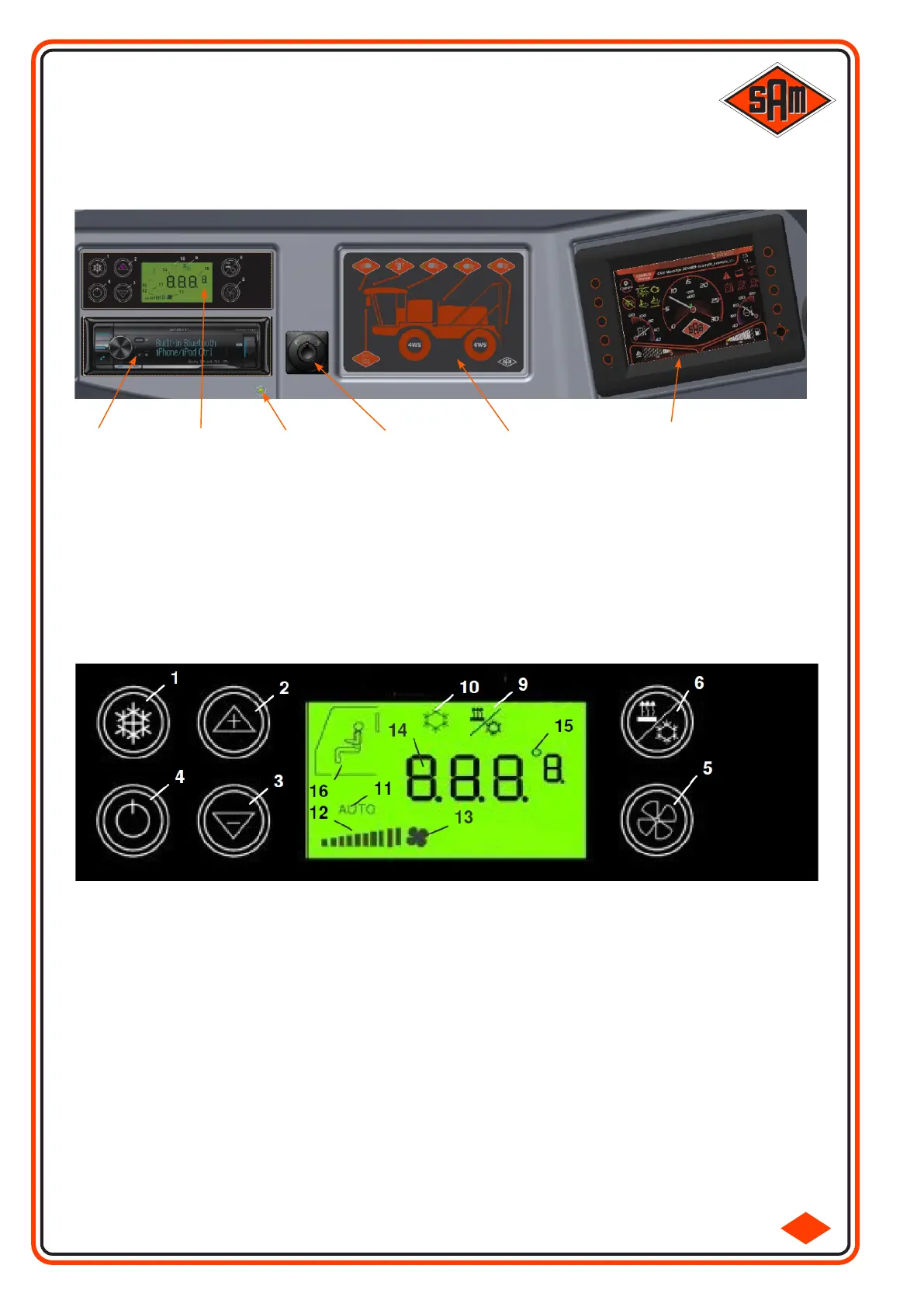
The Overhead Instrument Panel is the location for the Wing Mirror Adjustment Control, Overhead Control
Panel, Blue Tooth Radio / CD Player, Climate Control System Panel, Cabin Air Quality Indicator & Electronic
Dash Display.
OVERHEAD
1 Button for switch ON/OFF the Air Conditioning operation.
2 Button for increasing the cabin Temperature.
3 Button for decreasing the cabin Temperature.
4 Button for switching ON/OFF the control unit.
5 Shift-Button for Fan Speed Manual / Automatic.
6 Button for switching Reheat Function ON/OFF.
9 Symbol indicates Reheat Function is active.
10 Symbol indicates Air Conditioning is active.
11 Symbol indicates Fully Automatic Mode is active.
12 Bar display indicates actual Fan Speed during Manual Mode.
13 Symbol indicates Fan Speed during Manual Mode.
14 4 Digit, 7 Segment display indicating Temperature Value / Error Code.
15 Symbol indicates the Temperature Unit (Celsius / Fahrenheit).
16 Symbol indicates the Operator Cabin.
2.1-7
Wing Mirror
Adjustment
Control
Blue Tooth
Radio / CD
Player
(Connected to USB
on Armrest Console -
REAR USB INPUT
must be selected)
Electronic Dash
Display
Overhead
Control Panel
Climate
Control
System
Panel
Cabin
Air Quality
Indicator
(if illuminated, with
doors shut, the filter may
need be replaced - refer
to page 45)
OVERHEAD - CLIMATE CONTROL



 To Next Page