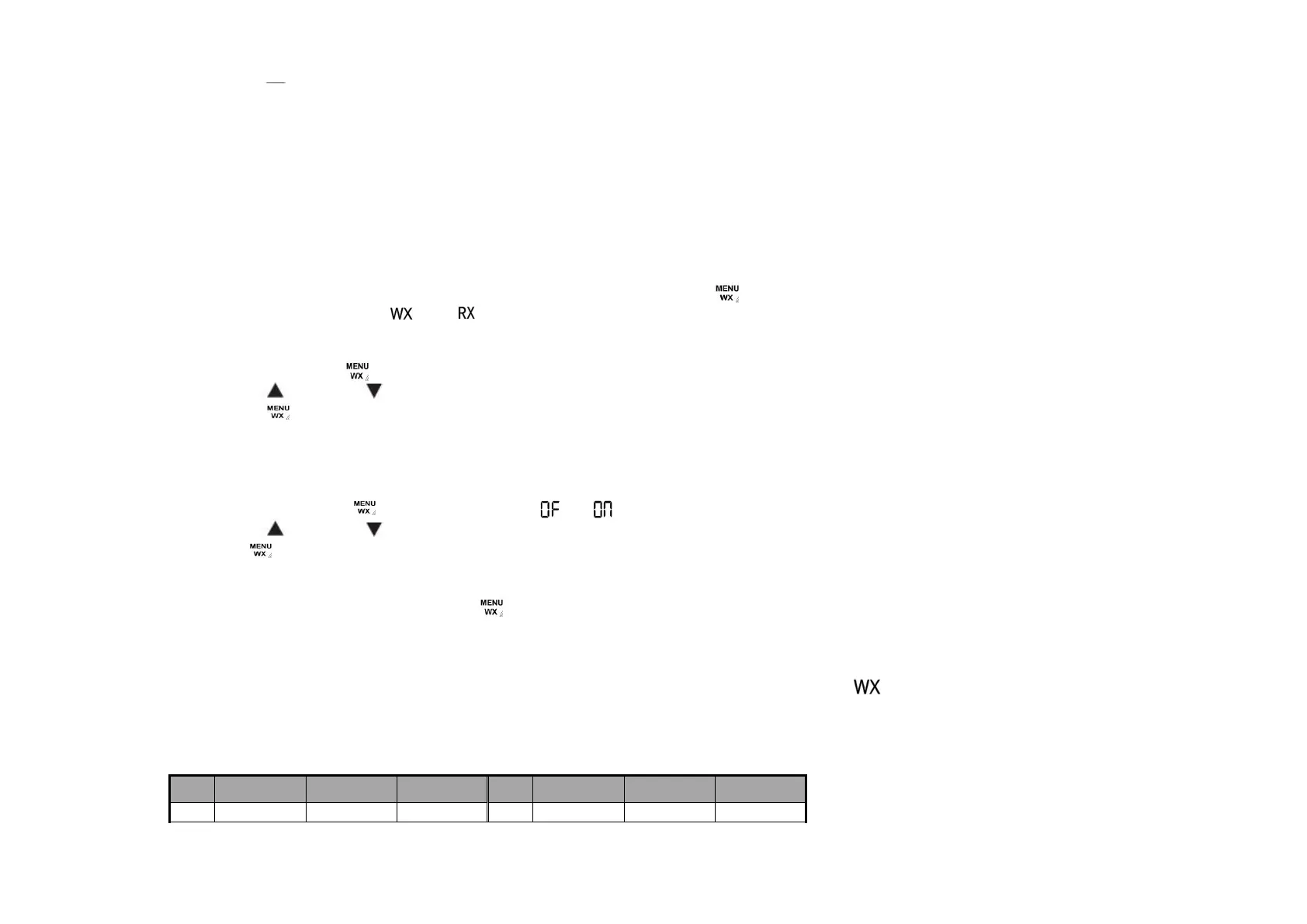
●PresstheGROUP/OKorPTTkeytoconfirmandrevertbacktothemainscreen,ortheMENUkeytoconfirm
andcontinuenextfunctionsetting.
WEATHER RECEIVER (WX) FUCNTION
TheradiohasthecapabilitytotuneintobroadcastsbytheUnitedStatesNationalOceanicandAtmosphericAdministration
(NOAA)WeatherRadioandEnvironmentCanadaWeatherRadio.Youcanlistentoaweatherchannelorsetyourradioto
alertyoutoemergencyweatherbroadcaststhatinterruptroutinebroadcasts.Whenyoulistentoaweatherchannel,
youcannotuseyourradioinscanmodeorfortwo-waycommunications.
Entering the WX Mode
●
Intwo-wayradiomodewiththemainscreendisplay,pressandholdthekey
for3secondstoenterWXmode
,theLCDwilldisplaytheiconsand andtheunitsoundsanoise.
Setting the WX Channel
●
InWXmode,press
key1timeunitlWXchannelnumberflashes.
●
Press
or toselecttheappropriatechannelwithgoodreceptioninyourarea.
●
Pressthe
keytoconfirmandcontinuesettingWX.
Setting the WX Alert
TheradiocanbesettorespondtoNOAAWeatherRadionemergencymeassages.Aspecialalarmtonesoundsanalert
andturnsontheWXtogiveyouimmediateweatherandemergencyinformation.
●
InWXmode,press
2timesunitltheiconor flashes
●
Press
or toturntheWXalertfunctionOnorOFF.
●
Press
keytoconfirmandexitsettingWX.
Exiting the WX Mode
●
InWXsetmode,pressandholdthekey
for3secondstoexitWXmodeandreturntotwo-wayradiomode.
●
AftertheWXmodeisactiviatedeithermanuallyorbyreceivinganalert,ifnokeysarepressedfor5minutes,
theWXmodewillautomaticallyrevertbacktotwo-wayradiomode.
IfyouturnontheWXalertfunctionandreturntotwo-wayradiomode,theLCDwilldisplaytheicon onthe
mainscreenintwo-wayradiomode,whichmeanstheWXalertfunctionhasbeenactiviatedandtheradiocandetect
theweatherchannelsignalandtwo-wayradiochannelsignalatthesametime.
FRS Channel Configuration Chart
FRS
Channel
Frequency
(MHz)
Default Associated
Code
TX Power Option FRS
Channel
Frequency
(MHz)
Default Associated
Code
TX Power Option
1 462.5500 154 Hi/Low Optional 12 462.6375 146 Hi/Low Optional


 To Next Page