GENERAL OPERATIONS
1. TRANSMITTING RANGE
●
Thetalkrangedependsontheenvironmentalandterrain.Itwillbereach(uptoabout5km)inwideopenspaces,
withoutobstructionssuchashillsorbuildings.Don’ttrytousetwounitswhicharelessthan1.5m(5feet)apart.
Ifyoudo,youmayhaveexperienceinterference.
2. POWER ON/OFF
●
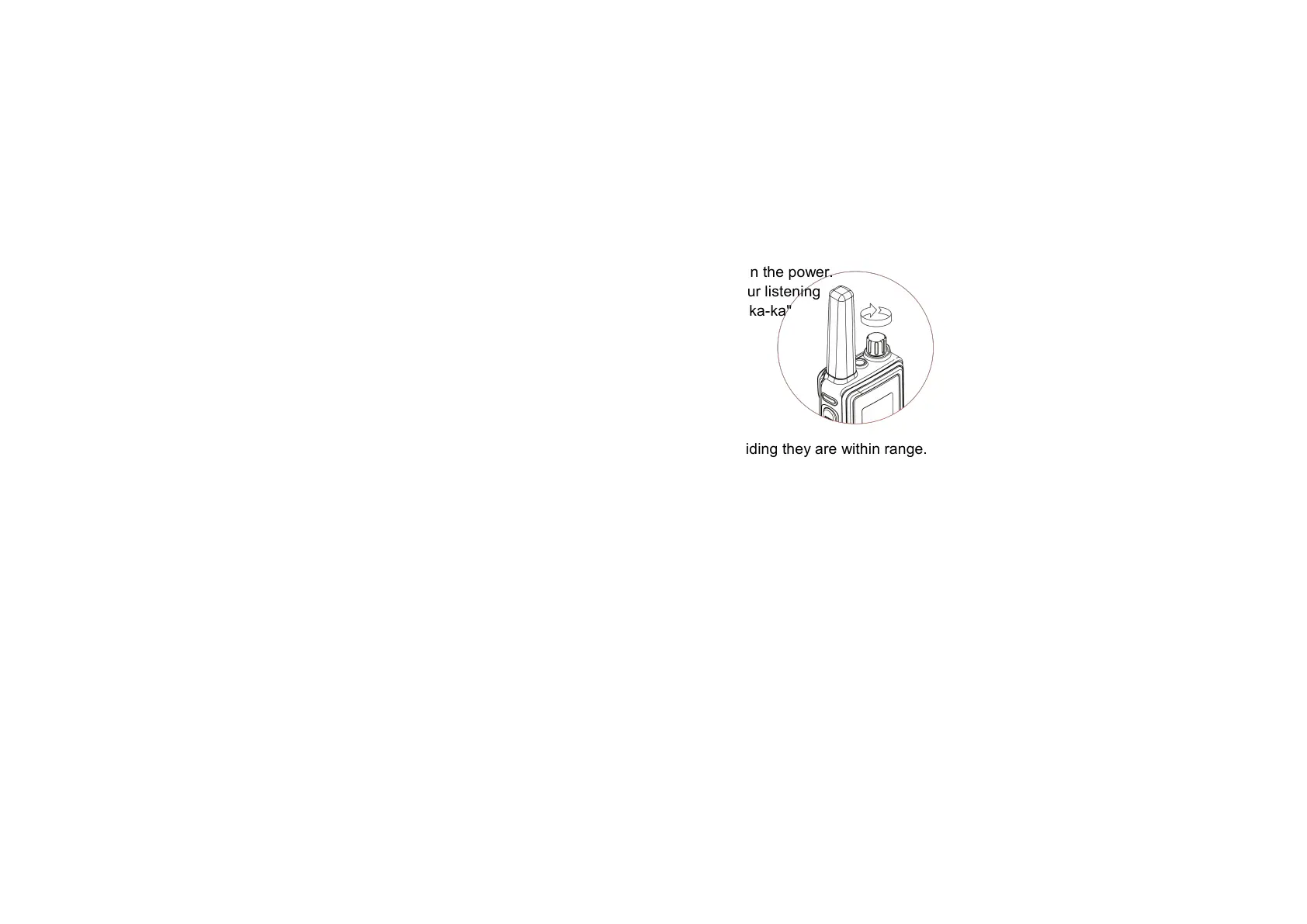
RotatethePWR/VOLcontrolknobclockwiseuntila"ka-ka"soundisheardtoturnonthepower.
Whenyoureceivecalls,theknobprovidesyoutheabilitytochangethevolumeforyourlistening
habits.Whenshuttingdownthetransceeiver,youneedtorotateitcounterclockwisea"ka-ka"
soundisheard.
3. MAKING COMMUNICATIONS
Theradiohas22mainfrequenciesand154CTCSS/CDCSScodes
Youcancommunicatewithanyotheruserwhoisusingthesamecombinations,providingtheyarewithinrange.
4. SPEAK TO OTHER RADIO
●
Press&holdthePTTkey,LCDTXiconindicatingtheradioistransmitting.
●
Holdtheradioinaverticalpositionwiththemicrophone3-5cmfromyourmouthandthenspeak.
●
Whenyoufinishspeaking,releasethePTTkey.
5. LISTEN TO OTHER RADIO
●
Theradiowillautomaticallysoundreceivedsignalfromtheotherradiowiththesamechannelandcode,and
meanwhileLCDshowstheicon
RX
●
WhenyoupressthePTTkey,youcan’tlistentootherradios.MakesureyoudonotpressPTTkeyforlistening.
●
Adjustvolumecontrolifnecessary.
6. TALK TIME-OUT FUNCTION
●
Time-outfunctioncanavoidtransmittingbychanceandprolongthebatterylife.
●
TheradiowillstoptransmittingandsoundawarningtonewhenPTTisheldover3minutes.Youthenneedto
releasePTTandpressagainforfurthertransmission.
●
InVOXmode,theunitwillstoptransmittingandsoundawarningtoneaftercontinuoustalkfor3minutes.
Youcanre-activateVOXafterthetime-out.(PleaserefertoVOXfunctionfordetailedVOXoperation).
7. GROUP FUNCTION ( Dual-Channel Watch)


 To Next Page