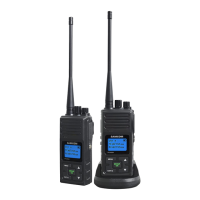
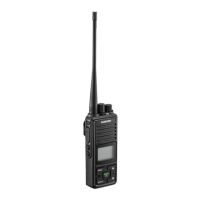
8.SELECTCHANNEL
Toselectthemainchannel
PresstheMENUkeyonce,Mainchannelnumberdisplayedwillflash.
Press"+"or"-"keytoselectyourdesiredmainchannelnumber.
PressthePTTkeytoconfirmandquitorpressMENUtocontinuenextfunctionseting.
Youhave13secondstodecidebeforeauto-revertingbacktothemainscreen.
9.CTCSSCODEFUNCTION
Thisfunctioncanhelpyouselectyourgroup(38CTCSScodes)ofusersonthesamechannel.Onlytheuserswiththe
sameCTCSScodecanlistenandtalktoeachother,pressnotethatselectingaCTCSScodedoesnotassure
totalprivacyinradiocommunication.anyFRSradiocanlistentoallcommunicationsonthesamechannel
whenusingthedefaultstandardsettingwithCtcss=0(OFF)
PresstheMENUkeytwice,CTCSScodedisplaywithflash
Press+or-keytoselectyourdesiredCTCSScodefrom1to380isOFF
PressthePTTkeytoconfirmandquitorpressMENUkeytocontinuenextfunctionsetting.
10.VOX(Hands-feefunction)
Theunithasabuilt-inVoiceActivatedCircult(VOX)function.YoucanenjoytalkingandlisteningwithoutpressingPTTkey
PresstheMENUkey3times.LCDdisplayVOXiconandVOXsensitivitylevelfromOFF1,2,3forOFFlowmediumandHigh
respectively.
AfterturningontheVOXfunction.LCDwilldisplayVOXicon.PressPTTtoconfirmandquitactivateVOXfunction.
11.SENDINGCALLTONE
Youcanuse1of10different"CallTones"togetattentionofotheruseronthesamechannel.
Pressthekeyandyouwillheardthetone.LCDwilldisplaythetransmiticonandyourcalltonewillbesent.
12SELECTINGCALLTONE
PresstheMENUkey4times,LCDdisplay1CRiconandcalltonenumberwillflash
Press+or-keytoselectedyourdesiredcalltonefrom01to08
Presstocontinuenextfunctionsetting.
13AUTOPOWEROFF(APO)
PressMENUkey5times,LCDdisplayAPOincon.
Press+or-keytoselectautopowerofftimefrom0to4hours
PressPTTkeytoconfirmandquitorpressMENUtoreturntoMainscreen.
Afterturningonthefunction.LCDwilldisplayAPOiconandautomaticallyturnoffatdesignatedtime.
14KEYTONEON/OFF
PressMENUkey6times,LCDdisplayOnto(KeytoneOn)orOFto(=keytoneOff)
Press+or-keytotogglekeyTuneOnorOff
LCDdisplayiconwillbeonwhenKeyToneisOn.ThisIconwillbeoffwhenKeyToneisOff.
PressPTTtoconfirmandquitorpressMENUtocontinuenextfunctionsetting.
15ROGERBEEP
TherogerbeepfunctionenablesashorttonesignalwhichistransmittedafterreleasingthePTTbutton.
PressMENUkey7timesdisplaydisplayOnroicon(=RogerBeepOn)orOFro(=RogerBeepOff)



 To Next Page