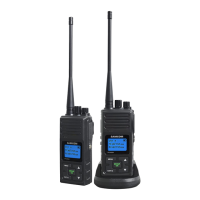
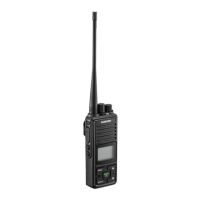
GENERALOPERATIONS
1POWERON/OFF
Topowerontheradio,pressMENUkeyfor2secondsuntilabeepisheardandtheLCDdisplayturnon
Topowerofftheradio.PressMEUNkeyfor2secondsuntilLCDdisplayturnsoff.
2MAKINGCOMMUNICATIONS
Theradiohas22mainfrequenciesand3CTCSScodeseffectivelygivingyou66channelsyoucanccommunicatewith
anyotheruserwhoisusingthesamecombinations,providingtheyarewithinrange.
3SPEAKTOOTHERRADIO
Press&holdthePTTkeyLCDTX Iconindicatingtheradioistransmiting
Holdtheradioinaverticalpositionwiththemicrophone3-5cmfromyourmouthandthenspeak.
Whenyoufinishspeaking,releasethePTTKeyandabeeptonewillbeheard.
4LISTENTOOTHERRADIO
TheradiowillautomaticallysoundreceivedsignalfromtheotherradiowiththesamechannelandLCDshowstheicon
WhenyoupressthePTTkey.Youcan'tlistentootherradios.MakesureyoudonotpressPTTkeyforlistening.
Adjustvolumecontrolifnecessary.
5ADJUSTINGSPEAKERVOLUME(8LEVELS)
Presstheupkey+toincreasethevolume
Presstheupkey-todecreasethevolume
6LCDBacklightOn/Off
PresstheLAMPkeytoturnonLCDbacklightwhennecessary.
PresstheLAMPkeyagaintotrunoffLCDbacklisht
REMARKS.
PleasealwaystrunofftheLCDbacklightafterusedorotherwise,itwillkeeptheLCDbacklightcontinuouslyONanddrainout
battery.
7.MENUFLOWCHART
PressMenukeyMENUoncetoentermainchannelselection.PressMENUagainfornextfunctionselectionetc.
MainScreen MainChannel CTCSS VOX CallTone APO
MainScreen

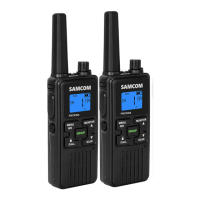

 To Next Page