CHARGING BATTERIES
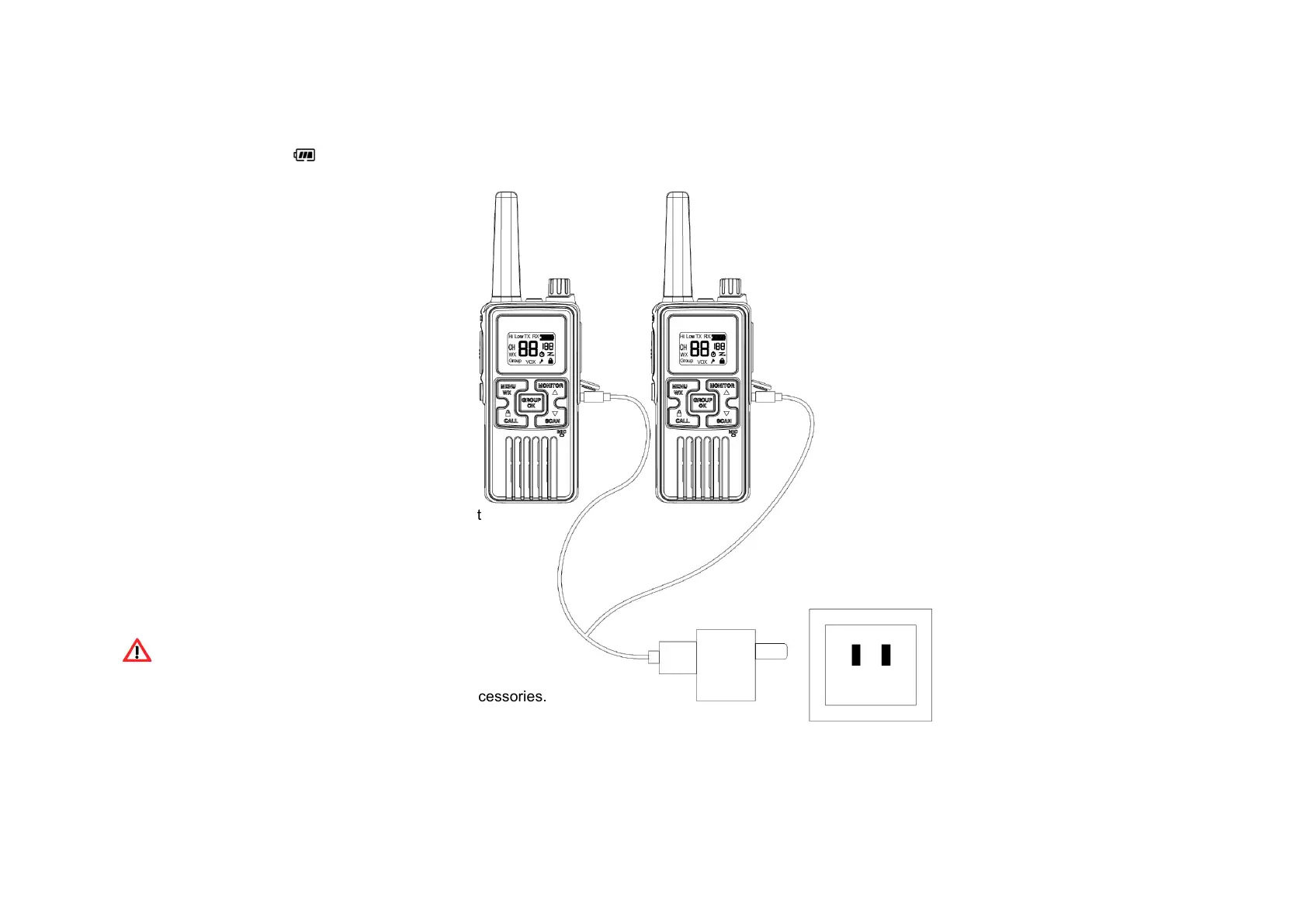
Whenthe“Batteryleveliconislow,youneedtochargethebatterywiththeenclosedAC/DCadaptor.
Charging with AC/DC adaptor
●
Plugtheadaptorintothewallsocketand
oftheradio.
●
TheLCD“Battery”Iconwillflash.
●
Eachadaptorcanconnect2setsofradiofor
charging.
●
Tochargefullyfromemptyrequireabout5
hours.
●
Aftercharged,unplugtheadaptorfromthesocket
WARNING
●
Toavoiddamagetotheradiouseonlyoriginalaccessories.
●
Theradiowillbeslightlywarmduringcharging.


 To Next Page