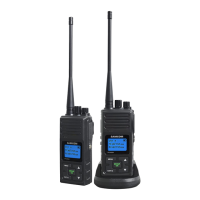
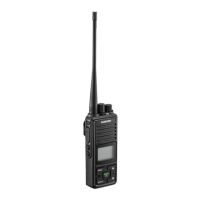
Theunithasdual-channelwatchfunction.Itcanmonitortwochannelsatthesametime,whicharetheMain(foreground)
andGroup(Background)channels,i.e.,itcandetectsignaloneitherchannel.
WhentheunitdetectsasignalontheGroupchannel,itwillautomaticallysoundthereceivedsignalwithLCDshowing
"Group"icon,Groupchannelnumberandassociatedcodenumber.
WhenyouwanttotalktoagroupofpeoplethathavetheirradiossettheGroupChannelnumbertobethesameasyours,
justdothefollowing.
●
Press&holdtheGROUPkey,LCDdisplaysTXicon,indicatingtheradioistransmittingontheGroupchannel.
●
Holdtheradioinaverticalpositionwiththemicrophone3-5cmfromyourmouthandthenspeak.
●
Whenyoufinishspeaking,releasetheGROUPkey.
8. SENDING CALL TONE
Youcanuse1of10different“CallTones”togetattentionofotheruseronthesamechannelwithsamecode.
●
Pressthe
CALL
keyandthetonewillsound,LCDwilldisplaythetransmit
TX
andyourcalltonewillbesent.
9. SCANNING CHANNELS
●PresstheSCANkeyonceandLCDwilldisplay
andradiowillstartscanning.
●
LCDdisplayshowsthescanningchannelonebyone.
●
Itwillstopatthosechannelswithsignalforawhile.
10. MONITOR Function
●
Pressandholdthe
MONITOR
keytohavetheunitsoundsignalornoise,whicheveroccursonthemainchannel.
●
ReleasetheMONITORkeytoturnoffthefunction.
Thefunctionisusefultocheckforactivityonthemainchannelbeforeyoutalk.Whenyoufindthemainchannelbusy
,youcanchangethemainchannelnumbertoaclearone.Moreover,italsocanbehandyfortheusertoverifythe
volumeleveloftheradiowhentheradioisnotreceiving.Youcanadjustthevolume,ifnecessary.
11. LOCK KEYS
●
Pressandhold
keyfor3seconds,LCDdisplay icon.
●
AllkeysarelockedexceptPTTandGROUP/OKkeys
●
Tounlock,pressandhold
keyfor3secondsagain.
12. MICROPHONE / EARPHONE JACK
Theunitisequippedwithamicrophone/Earphonejacklocatedattherightside.Youcanuseanoptionalearphone
(notincluded)forhandsfreefunction.
13. High / low TX Power Selection
TheradiohasdefauthighTXpoweroptionforChannels1to7and15to22.Whenyouknowyourpartyiscloseby,you


 To Next Page