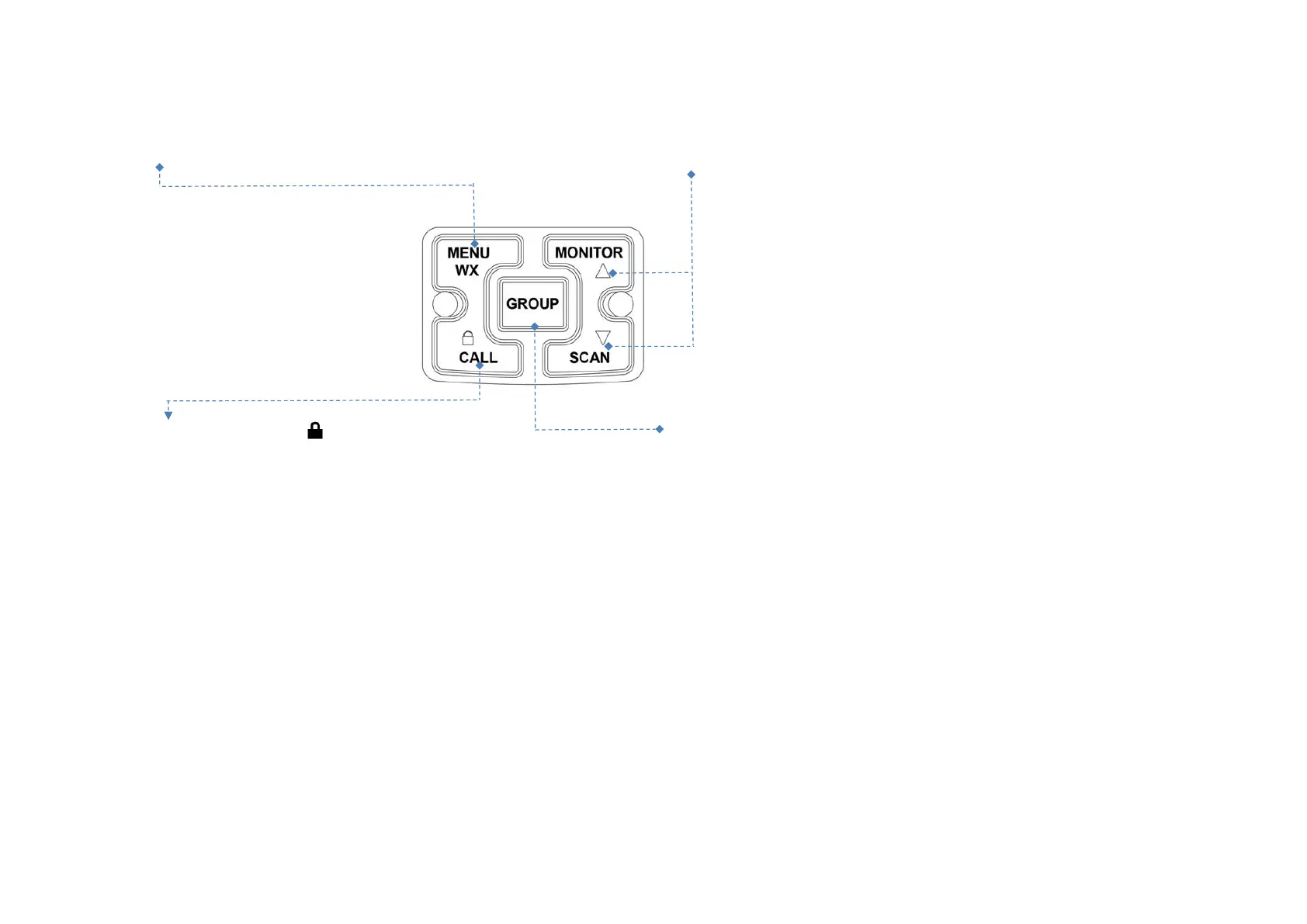
PresstheMENUkey
,
enterintothemenuselectingmode Press
▲
keychoicethemenuandmonitorfunction,
andWXmode.
Press
▼
keychoicethemenuandscanfunction.
Keeppress3secondsthekeytolock,
PresstheGROUP keytospeaktoallchannel,
pressthekeycallfunctionwillopened



 To Next Page