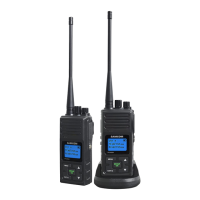
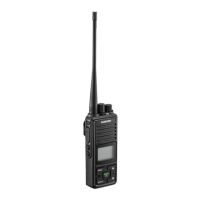
Topowerontheradio,pressMENUkeyfor2secondsuntilabeepisheardandtheLCDdisplayturnon
Theradiohas22mainfrequenciesand3CTCSScodeseffectivelygivingyou66channelsyoucanccommunicatewith
Holdtheradioinaverticalpositionwiththemicrophone3-5cmfromyourmouthandthenspeak.
TheradiowillautomaticallysoundreceivedsignalfromtheotherradiowiththesamechannelandLCDshowstheicon
WhenyoupressthePTTkey.Youcan'tlistentootherradios.MakesureyoudonotpressPTTkeyforlistening.
PleasealwaystrunofftheLCDbacklightafterusedorotherwise,itwillkeeptheLCDbacklightcontinuouslyONanddrainout
PressMenukeyMENUoncetoentermainchannelselection.PressMENUagainfornextfunctionselectionetc.
Key


 To Next Page