Index revision : H 17 6336
6. Use of the different control module menus
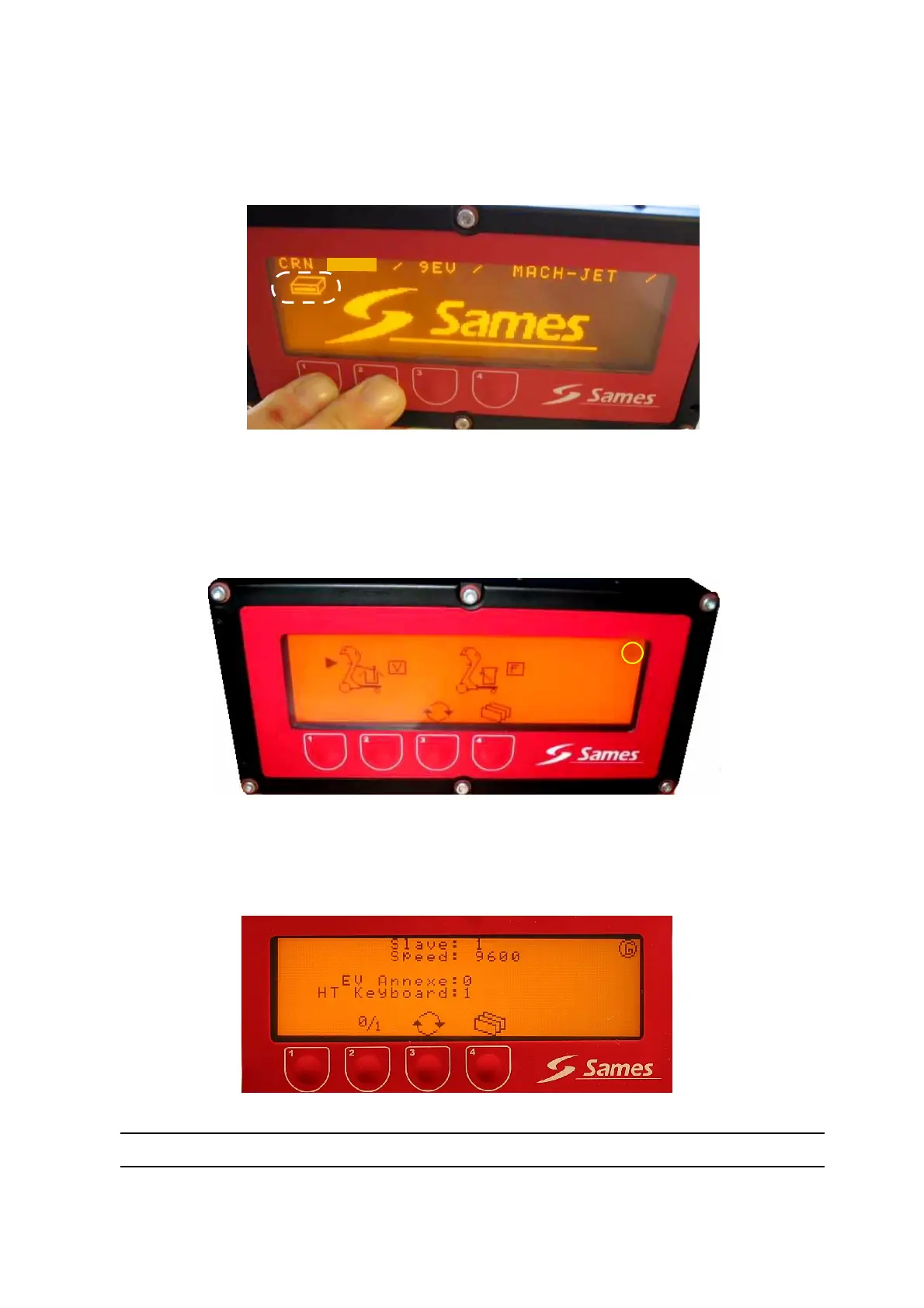
6.1. CRN 457 initialisation screen
This is the first screen displayed on start-up of CRN 457.
Pressing buttons 1 and 2 simultaneously (until appearance of the logo at the top left-hand side) enables
the device to restart with factory parameters. The operator is thus in a first start-up situation.
6.2. Start-up screen
6.2.1. Manual unit without PLC connection
This screen enables selection of “vibrating table” or “fluidisation tank”.
When the “vibrating table” is used, the “auxiliary” pneumatic outlet is activated while the trigger is
pressed. When the fluidisation tank is used, activation occurs 30 minutes after the last pressure on the
trigger.
6.2.2. Manual unit with PLC connection
2. 07
F
G


 To Next Page