Index revision : H 18 6336
6.3. Cleaning screen (only with a carriage)
6.4. Standby screen (only with a communication with a PLC)
[
[
1
1
]
]
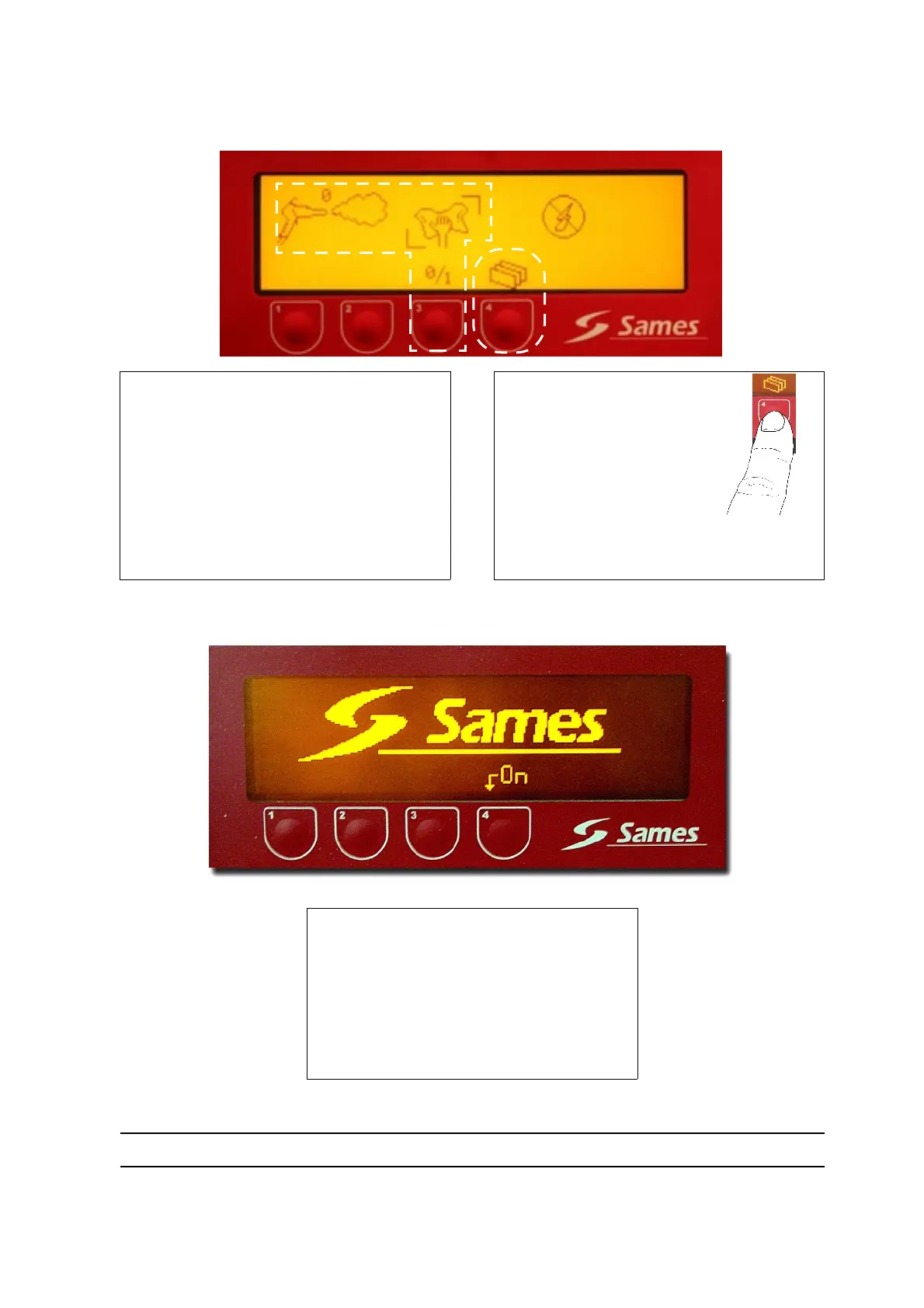
: This button starts up or stops the
cleaning mode.
Pressing the 0/1 button puts the system in
cleaning mode; a computer animation
appears on the screen (flashing).
Cleaning mode must be stopped before pro-
ceeding with the next operation.
The spray gun commands are disabled.
[
[
2
2
]
]
: This button enables
switching to the following
menu
Pressing the button is forbid-
den when the installation is in
cleaning mode.
[
[
1
1
]
]
: Pressing this button quits ”Standby
mode”.
Pressing this button quits ”Standby” mode
and triggers an automatic return to screen A.
Spray gun commands are disabled in this
screen.
1
1
2
2
1
1


 To Next Page