6-4 EB 8310-1 EN
Start-up
To change from manual to automatic opera-
tion, put the handwheel into the neutral posi-
tion by aligning the dot on the stem connec-
tor (A51) within the window on the plastic
coverwiththehorizontalmarkingonthe
housing.To change from manual to automatic
operation, put the handwheel into the neutral
position.
If you want to t a handwheel to an actuator,
contact our after-sales service.
6.3.1 Extending the actuator
stem manually
1. Turn the handwheel clockwise until the
bottom stop position is reached.
2. Extend the actuator stem up to the re-
quired position.
6.3.2 Retracting the actuator
stem manually
1. Turn the handwheel counterclockwise un-
til the top stop position is reached.
2. Retract the actuator stem up to the re-
quired position.
Note
A60
A51
Dot
Horizontalmark-
ing on the housing
A51 Stem connector
A60 Handwheel
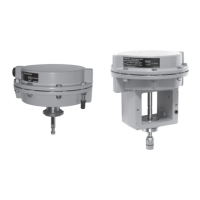
Fig.6-2: Type3271-5 Actuator with handwheel


 To Next Page









