EasyManua.ls Logo

Samson Expedition XP106 - Quick Start

Samson Expedition XP106
28 pages
Print Icon
To Next Page IconTo Next Page
To Previous Page IconTo Previous Page
Loading...
Quick
Start
Follow
these steps
below
to
quickly
get started using
your
XP106 portable
sound
system.
Set
the
XP106
1
S
power
switch to the
OFF
position,
and
fully turn
all
of the
LEVEL
controls
counterclockwise
to
0.
If
an
outlet
is
available,
connect the
included
power
adaptor to the
DC
IN
of the
speaker,
and
plug
it into
an
AC
socket.
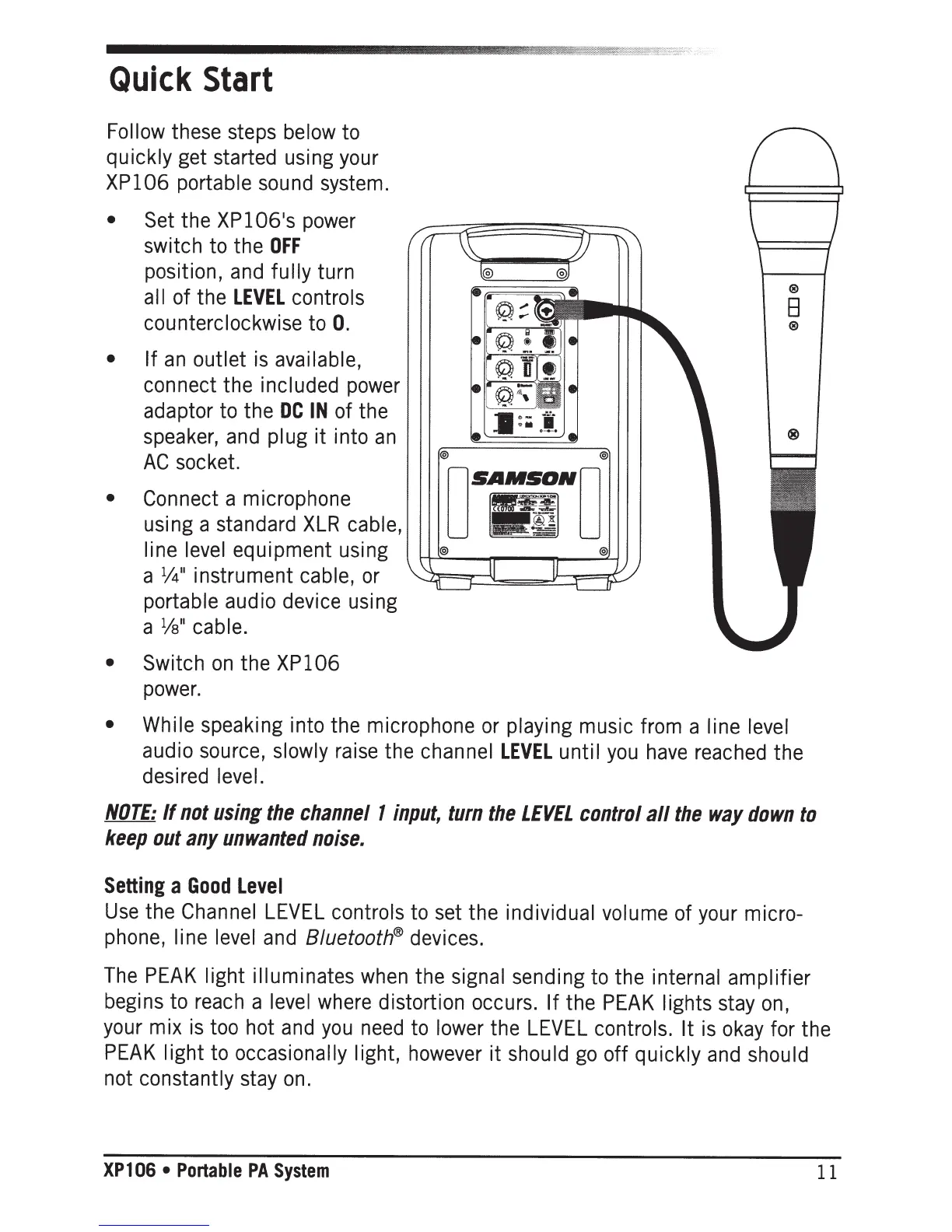
Connect
a microphone
using a standard
XLR
cable,
line
level
equipment using
a
1
/4
11
instrument
cable,
or
portable audio device using
a
1
/s
11
cable.
Switch
on
the
XP106
power.
®
B
®
While speaking into the microphone
or
playing
music from a
line
level
audio source,
slowly
raise
the
channel
LEVEL
until
you
have
reached
the
desired
level.
NOTE:
If
not
using
the
channel
1
input,
turn
the
LEVEL
control
all
the
way
down
to
keep
out
any
unwanted
noise.
Setting
a
Good
Level
Use
the
Channel
LEVEL
controls
to
set the individual volume
of
your
micro-
phone,
line
level
and
8/uetooth®
devices.
The
PEAK
light illuminates
when
the
signal sending
to
the internal amplifier
begins to
reach
a
level
where
distortion occurs. If
the
PEAK
lights
stay
on,
your
mix
is
too
hot
and
you
need
to
lower
the
LEVEL
controls. It
is
okay
for the
PEAK
light
to
occasionally light,
however
it
should
go
off
quickly
and
should
not constantly
stay
on.
XPl
06
Portable
PA
System
11

Related product manuals