----------lllllllllllll
~~
..
·~··:··:'i>ii£MWJiJ1Ut!JKMMMMUm;n;'tiii>••••••••••••,••••••'••••••••'·'·:·:·:·
::-
·-·.·.·····
Charging
the
Battery
The XP106 has
an
internal, rechargeable battery capable of up to
20
hours
of continuous audio
on
a
full
charge.
Even
though the system may have some
charge when first taken out of the box,
we
recommend
fully
charging your
XP106 before first using the system.
·
To
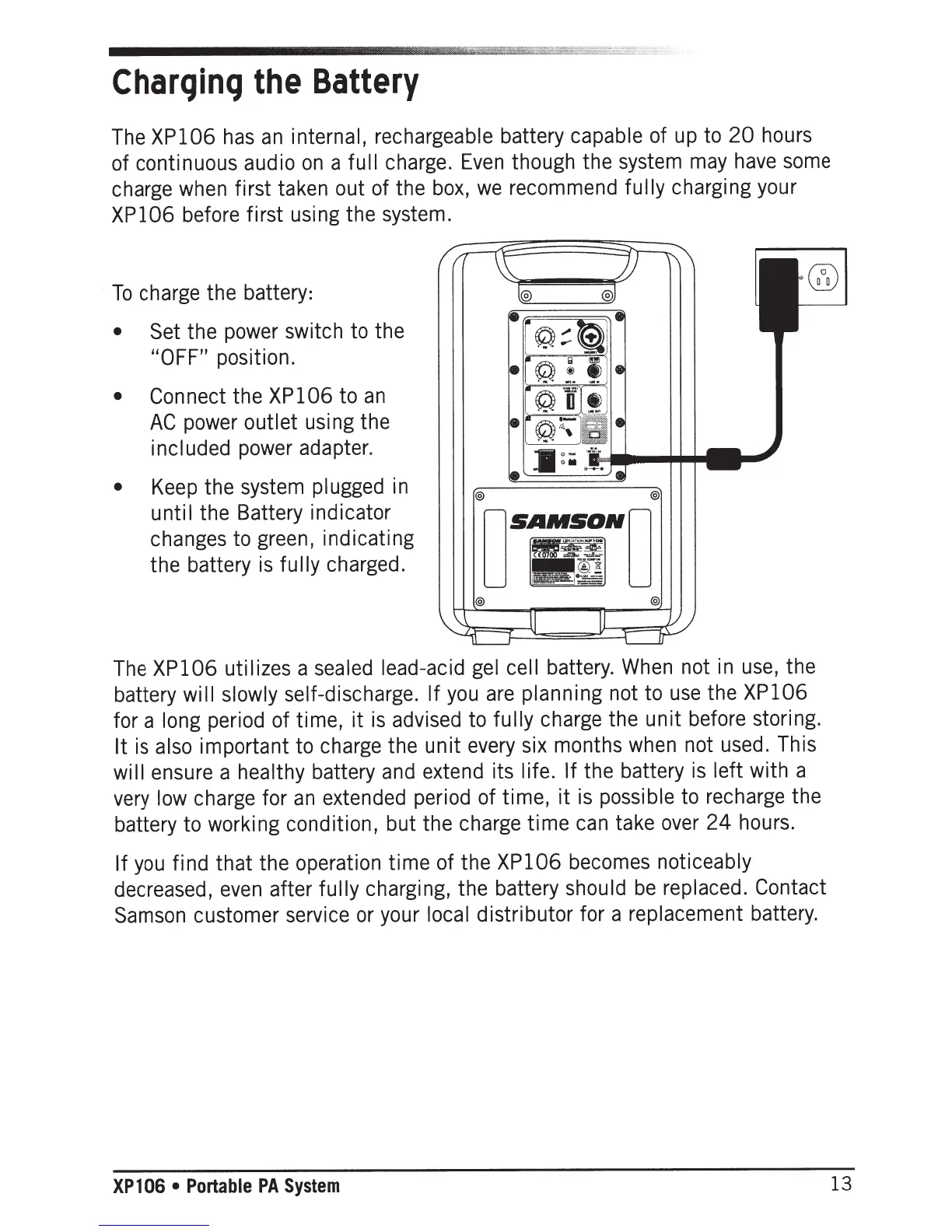
charge the battery:
• Set
the power switch to the
"OFF"
position.
•
Connect the XP106 to
an
AC
power outlet using the
included power adapter.
•
Keep the system plugged in
until the Battery indicator
changes to green, indicating
the battery is
fully
charged.
The XP106 utilizes a sealed lead-acid gel
cell
battery. When not
in
use, the
battery
will
slowly self-discharge.
If
you
are
planning not to
use
the XP106
for a long period of time,
it
is advised to
fully
charge the
unit
before storing.
It
is also important to charge the
unit
every six months when not used. This
wi
II
ensure a healthy battery and extend its
I
if
e.
If
the battery
is
left
with a
very low charge for
an
extended period of time,
it
is possible to recharge the
battery to working condition, but the charge
time
can take over
24
hours.
If
you
find
that
the operation
time
of the XP106 becomes noticeably
decreased,
even
after
fully
charging, the battery
should
be
replaced. Contact
Samson
customer service or your
local
distributor for a replacement battery.
XP
1
06
•
Portable
PA
System
13







 To Next Page