Stage
HXD1
Handheld
Transmitter
Controls
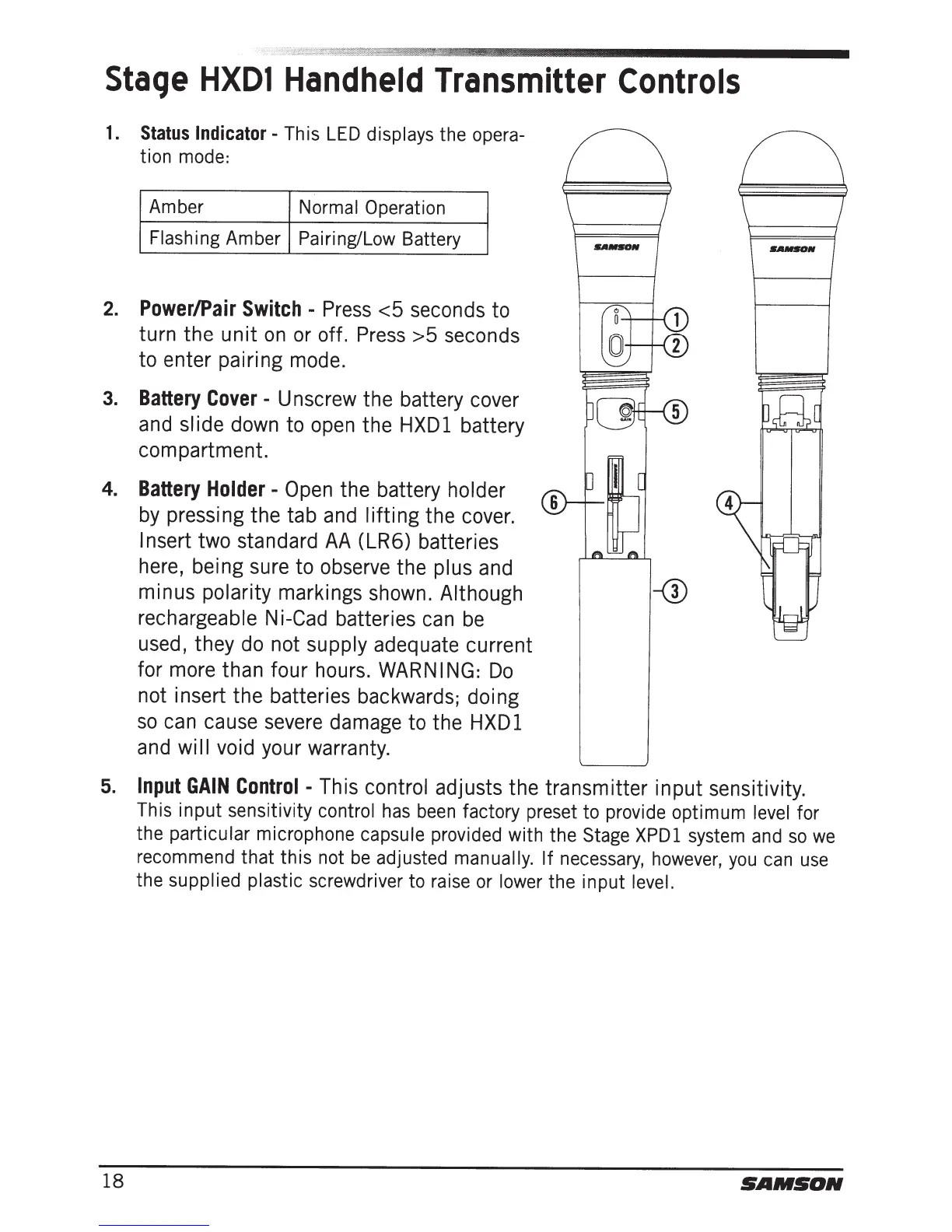
1.
Status
Indicator-
This
LED
displays the
opera-
tion
mode:
Amber
Normal
Operation
Flashing
Amber
Pairing/Low
Battery
2.
Power/Pair
Switch
-
Press
<5
seconds to
turn the
unit
on
or off.
Press
>5
seconds
to enter pairing mode.
3.
Battery
Cover
-
Unscrew the battery cover
and slide
down to open the
HXDl
battery
compartment.
4.
Battery
Holder-
Open
the battery
holder
by
pressing the tab and
lifting
the cover.
Insert
two standard
AA
(LR6) batteries
here, being sure
to
observe the
plus
and
minus
polarity
markings shown.
Although
rechargeable N i-Cad batteries can
be
used, they do not
supply
adequate current
for more than four hours.
WARNING:
Do
not insert the batteries backwards; doing
so
can cause severe damage to the
HXDl
and wi
II
void your warranty.
5.
Input
GAIN
Control
-This
control
adjusts the transmitter
input
sensitivity.
18
This input sensitivity control
has
been
factory preset to provide optimum
level
for
the
particular
microphone capsule
provided with the
Stage
XPDl
system
and
so
we
recommend that this not
be
adjusted
manually. If
necessary,
however,
you
can
use
the
supplied plastic
screwdriver to
raise
or
lower
the input
level.
SAMSON







 To Next Page