EasyManua.ls Logo

Samsung 25A6 - Choosing Your Language

Samsung 25A6
40 pages
Print Icon
To Next Page IconTo Next Page
To Previous Page IconTo Previous Page
Loading...
12
ENG
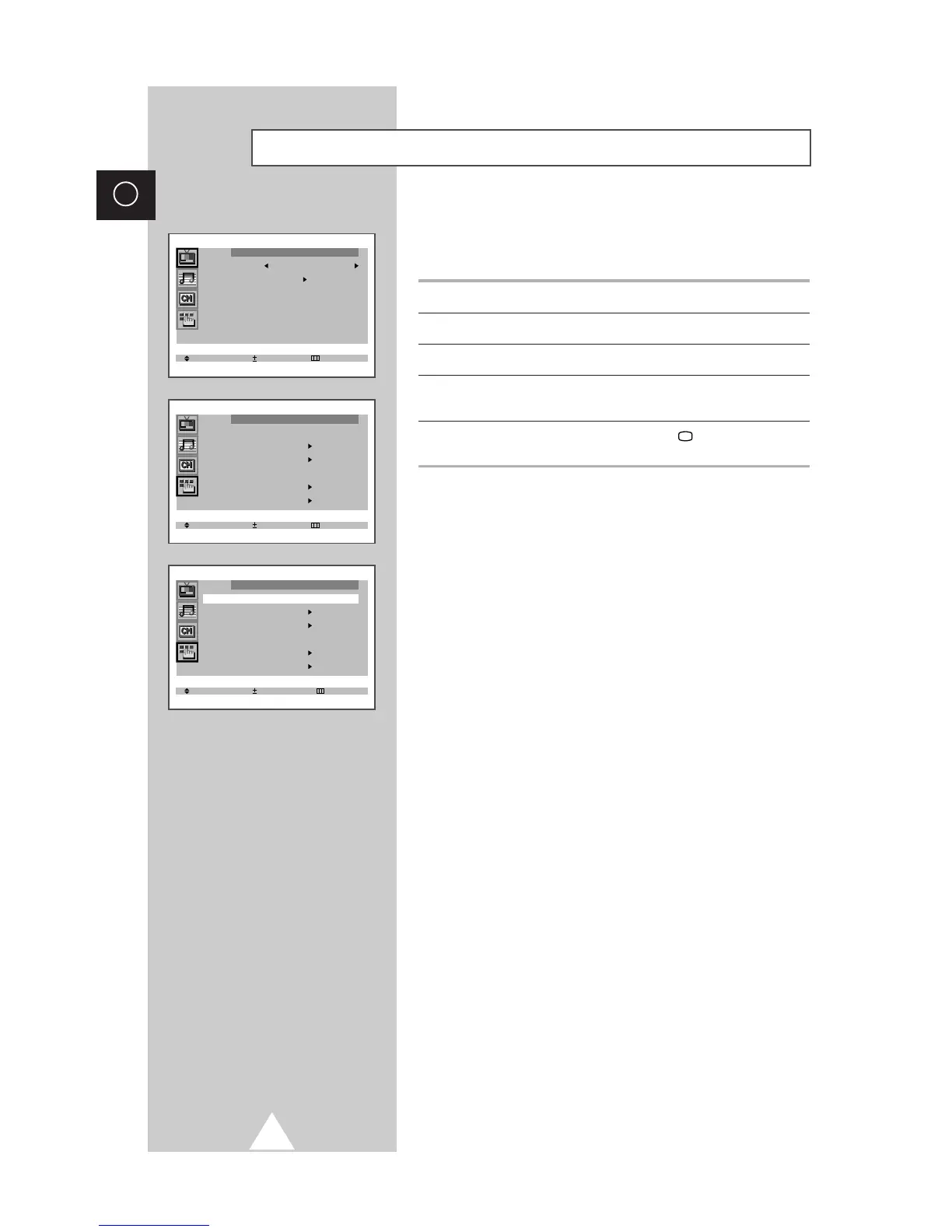
Choosing Your Language
Select Enter Exit
Function
Language : English
Time
Plug & Play
Blue screen : Off
Childlock
Demonstration
When you start using your television for the first time, you must
select the language which will be used for displaying menus and
indications.
1 Press the MENU button.
2 Press the or button to select the “Function”.
3 Press the + or button to select the “Language”.
4 Select a particular language by pressing the or button
repeatedly.
5 When you have finished, press the TV button, or press the
MENU button repeatedly to return to normal viewing.

Select Adjust Exit
Function
Language : English
Time
Plug & Play
Blue screen : Off
Childlock
Demonstration
Select Enter Exit
Picture
Mode Custom
Adjust
Digital NR : Off
Tilt : 0
Get user manuals: See SafeManuals.com

Table of Contents