If the broadcast signal received by your television is weak, you can
activate the Digital Noise Reduction feature to help reduce any
static and ghosting that may appear on the screen.
1 Press the MENU button.
Result: The “Picture” menu is displayed.
2 Press the + or – button.
3 Press the ▲ or ▼ button to select the “Digital NR”.
4 To select the “On” by pressing the + or – button.
5 When you have finished, press the TV button, or press the
MENU button repeatedly to return to normal viewing.
Activating/Deactivating the Digital Noise Reduction Feature
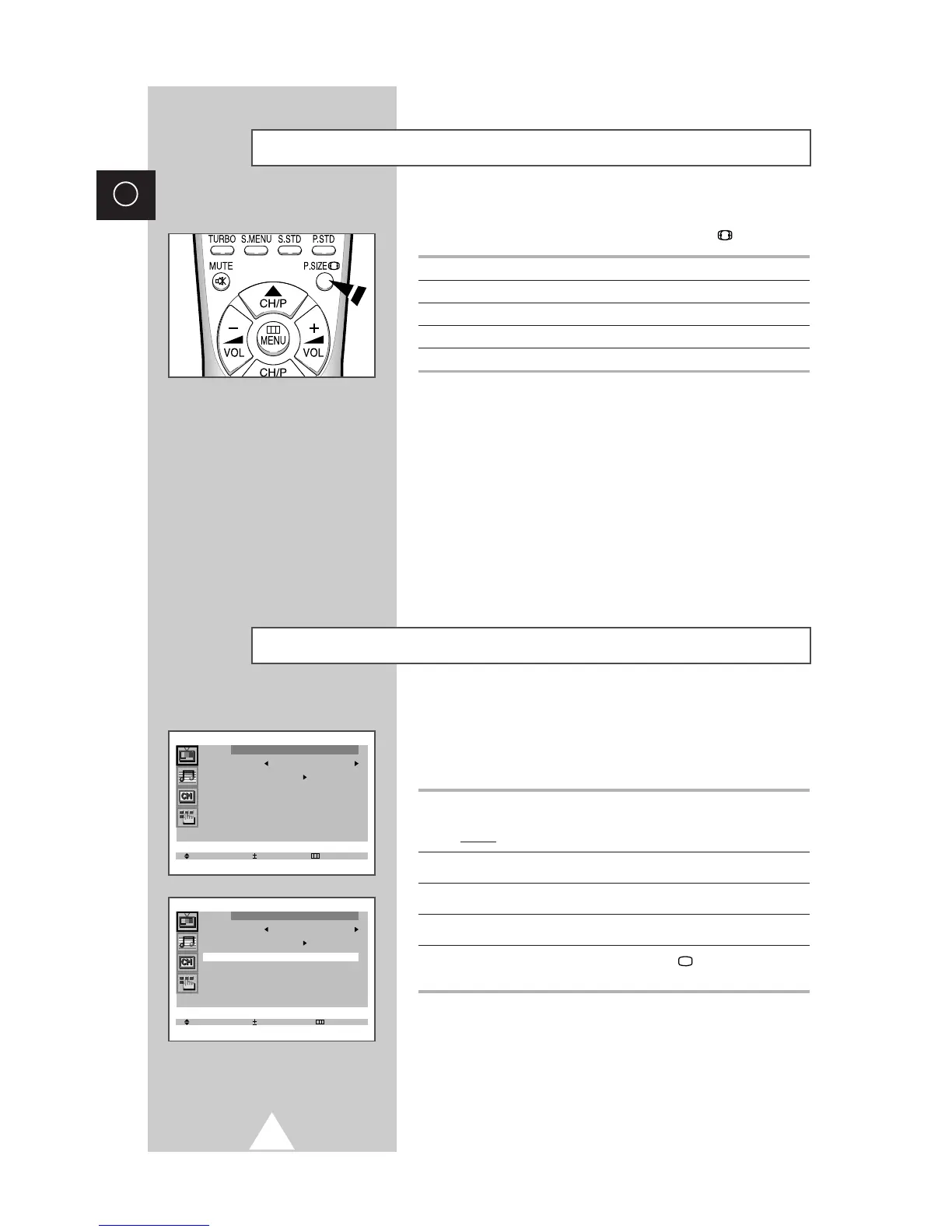
You can select the picture format which best corresponds to your
viewing requirements by simply pressing the P.SIZE button.
Picture format Description
Plus Full 12.8:9 format (extra 1 inch)
Normal Setting for normal 4:3 format.
Zoom Expansion of a 16:9 picture to full screen format.
16:9 Setting for the 16:9 screen format
Selecting the Picture Format (depending on the model)



 To Next Page