18
ENG
If the reception is clear, you do not have to fine-tune the channel,
as this is done automatically during the search and store operation.
If however the signal is weak or distorted, you may have to fine-
tune the channel manually.
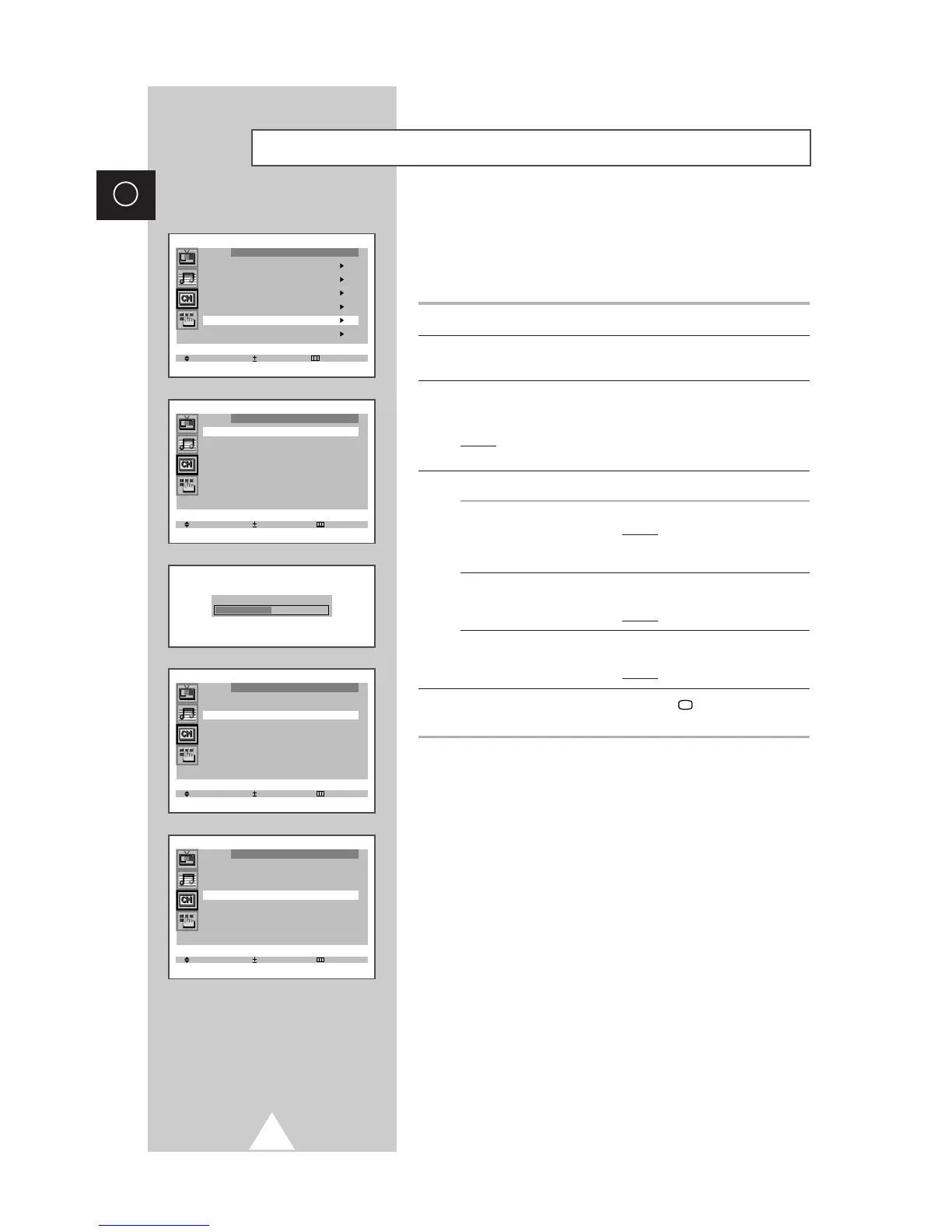
1 Press the MENU button.
2 Press the ▲ or ▼ button to select the “Channel” and press the + or
– button.
3 Press the ▲ or ▼ button to select the “Fine tune” and press the +
or – button.
Result: The “Fine tune” menu is displayed with the “Tune”
selected.
4 To... Press the...
obtain a sharp and ◆ + or – button.
clear picture and Result:
The horizontal bar’s
good sound quality cursor moves to the left
or right.
memorise adjusted ◆▲ or ▼ button to select the “Store”.
picture or sound ◆ + or – button.
Result: “OK” is displayed.
erase adjusted ◆▲ or ▼ button to select the “Erase”.
picture or sound ◆ + or – button.
Result: “OK” is displayed.
5 When you have finished, press the TV button, or press the
MENU button repeatedly to return to normal viewing.
Fine tuning Channel Reception




 To Next Page