16
ENG
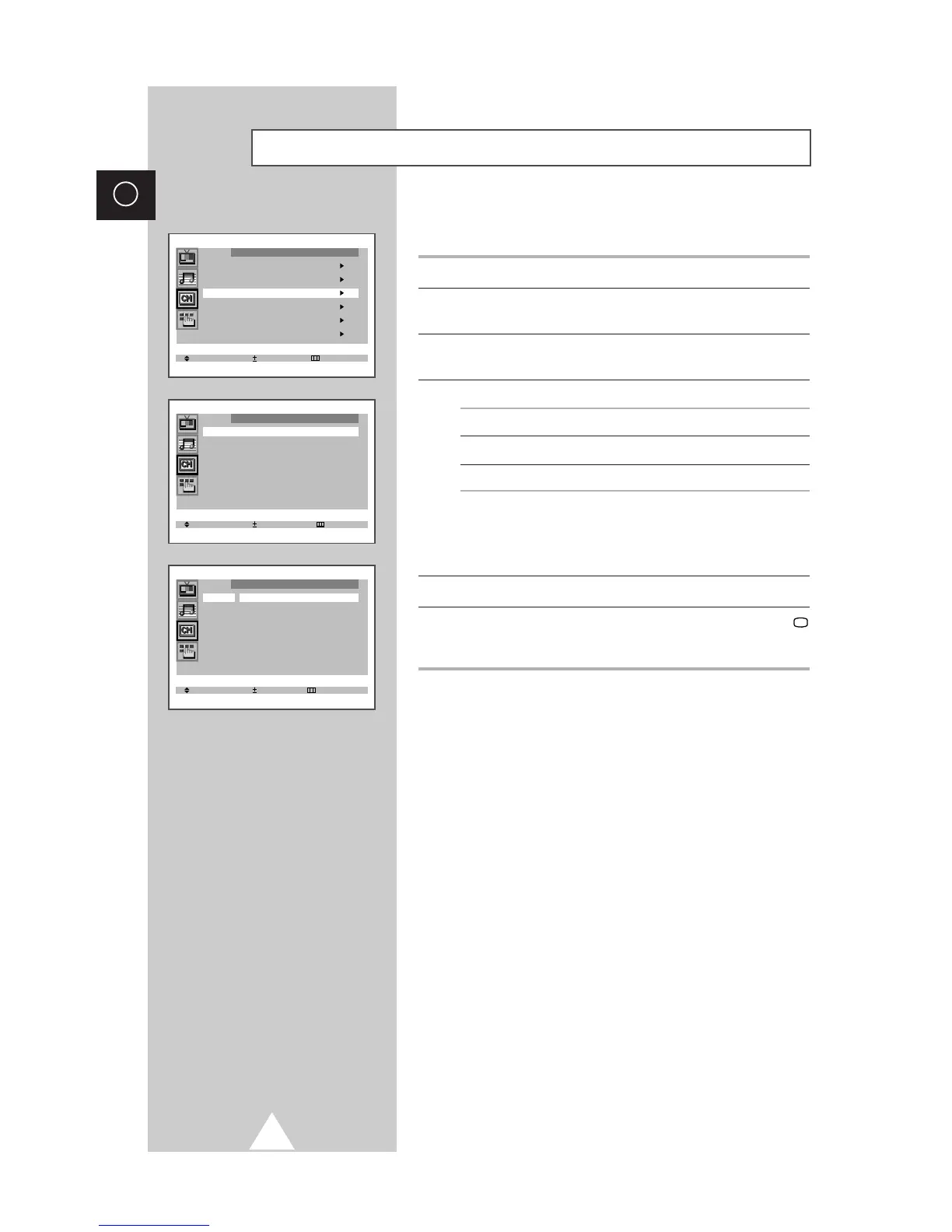
If you want edit the name, you can assign new names as required.
1 Press the MENU button.
2 Press the ▲ or ▼ button to select the “Channel” and press the + or
– button.
3 Press the ▲ or ▼ button to select the “Name” and press the + or –
button.
4 To... Press the...
Select a letter or number ▼ or ▲ button.
Move on the next letter + button.
Move back the previous letter – button.
➣
The characters available are:
◆ Letters of the alphabet (A...Z)
◆ Numbers (0...9)
◆ Special characters (space,
-
)
5 You can have each channel newlynamed.
6 When you have finished entering the name, press the TV
button, or press the MENU button repeatedly to return to normal
viewing.
Giving Channels Names



 To Next Page