24
ENG
Adjusting the Sound Settings (depending on the model)
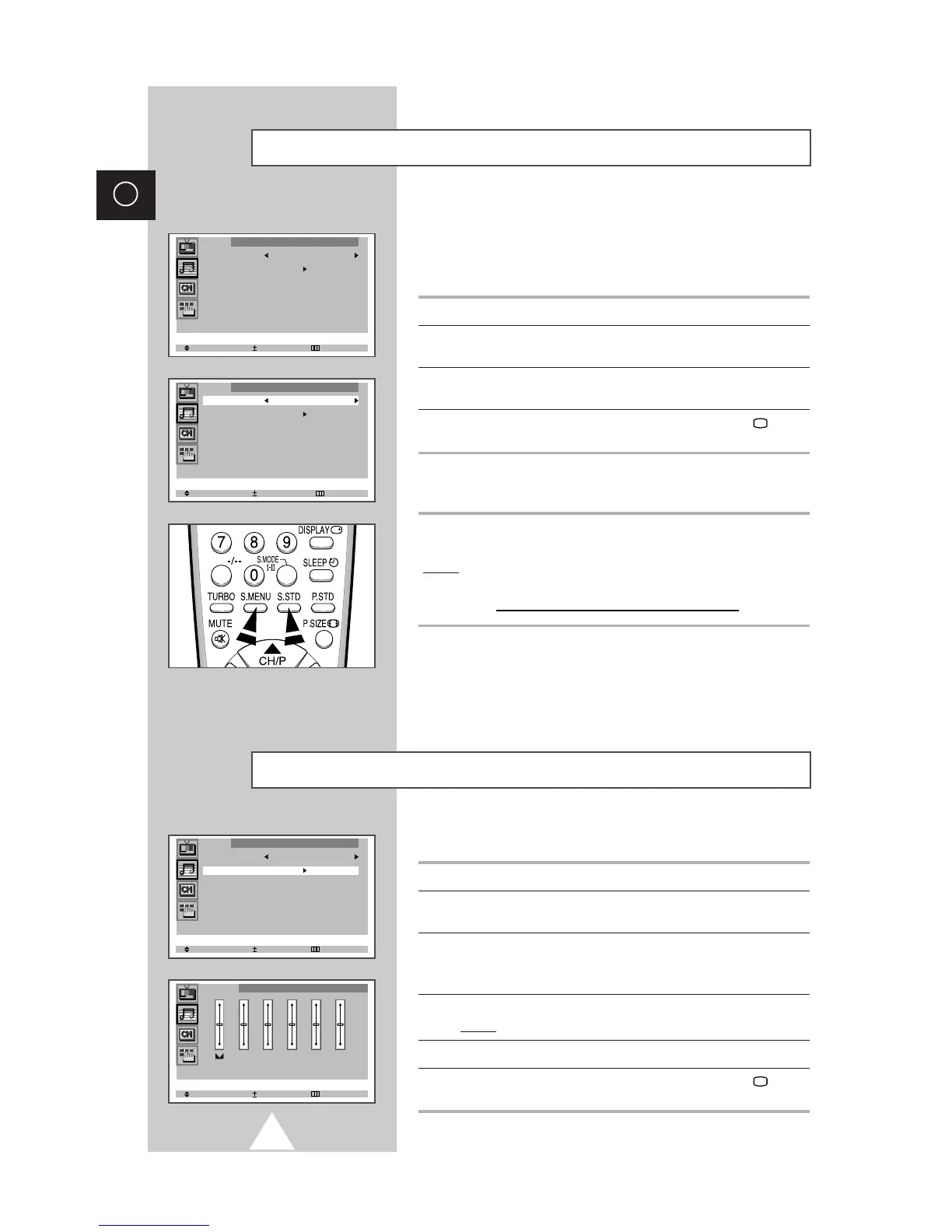
The sound settings can be adjusted to suit your personal preferences.
1 Press the MENU button.
2 Press the ▲ or ▼ button to select the “Sound” and press the + or –
button.
3 Press the ▲ or ▼ button to select the “Equalizer”.
➣
When select the “Mode” to “Custom”, the “Equalizer” menu is
displayed.
4 Press the + or – button.
Result:
The “Equalizer” menu is displayed.
5 Select the required option and adjust to satisfy your preference.
6 When you are satisfied with the settings, press the TV button,
or press the MENU button repeatedly to return to normal viewing.
You can select the type of special sound effect to be used when
watching a given broadcast. The following sound effects are
available in the order given:
◆ Custom, Standard, Music, Movie, Speech.
1 Press the MENU button.
2 Press the ▲ or ▼ button to select the “Sound” and press the + or –
button.
3 Press the + or – button repeatedly to cycle through the five
choices: Custom, Standard, Music, Movie, Speech.
4 When you are satisfied with the settings, press the TV button,
or press the MENU button repeatedly to return to normal viewing.
You can use your remote control to select the type of special sound
effect to be used when watching a given broadcast.
To select the required sound effect, simply press the S.STD (Sound
standard) button on the remote control.
Result:
The following sound effects are available in the order given:
Custom
↔
Standard
↔
Music
↔
Movie
↔
Speech
➢
You can display the sound adjust (or equalizer) menu
directly by pressing the “S.MENU” (Sound menu) button on
the remote control.
Changing the Sound Standard (depending on the model)





 To Next Page