36
ENG
Once you have connected up your various audio and video systems,
you can view the different sources by selecting the appropriate input.
1 Check that all the necessary connections have been made.
2 Switch the television on and if necessary, press the VIDEO
button one or more times until the required input is displayed.
➢
Depending on the source selected, the pictures may appear
automatically.
➢
To watch television programmes again, press the TV
button and select the number of the channel required.
Viewing Pictures From External Sources
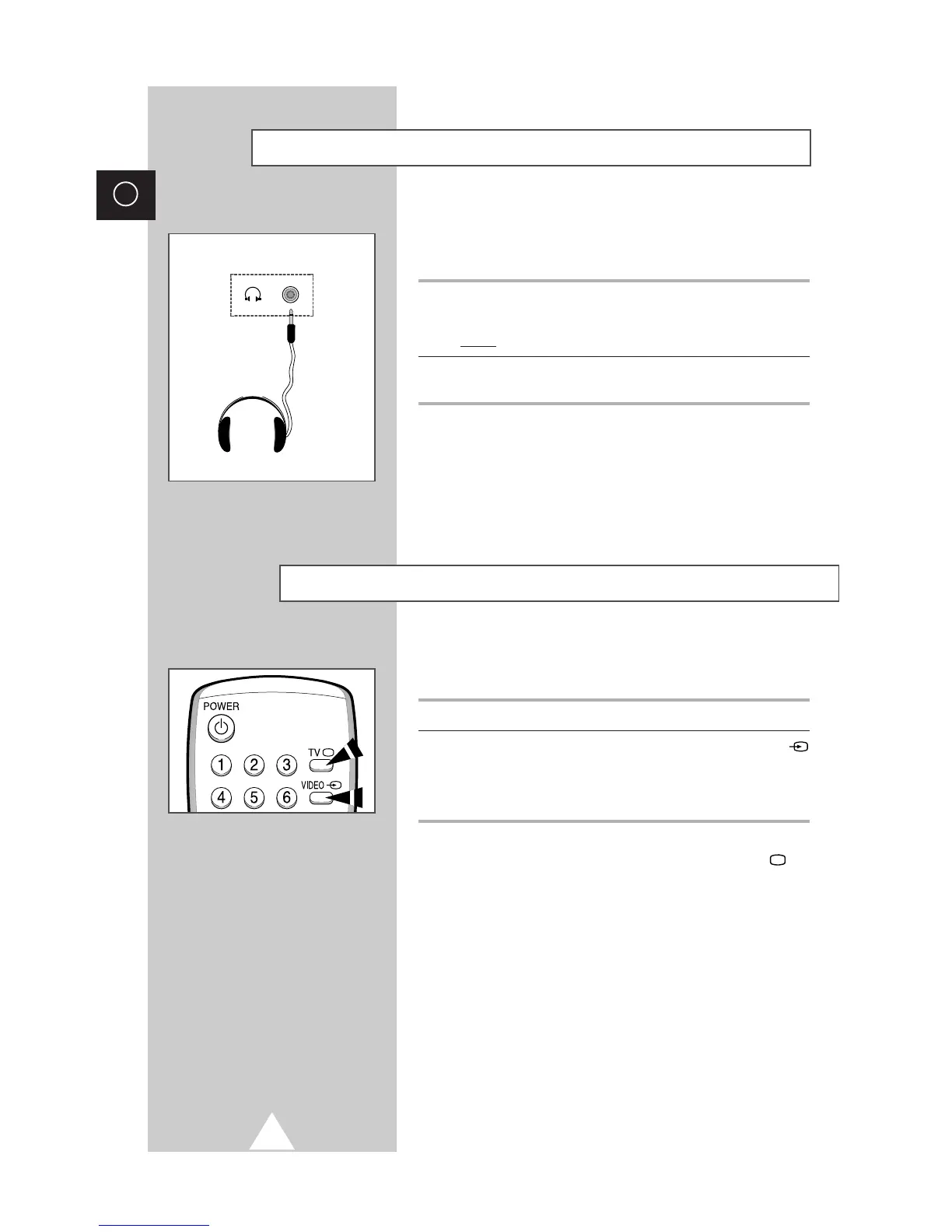
You can connect a set of headphones to your television if you wish
to watch a television programme without disturbing the other
people in the room.
1 Plug a set of headphones into the 3.5 mm mini-jack socket of the
television.
Result: The sound is heard through the headphones.
2 When you wish to hear the sound through the speakers again,
simply disconnect the headphones.
➢
Prolonged use of headphones at a high volume may
damage your hearing.
Connecting Headphones



 To Next Page