Continued...
Media Play
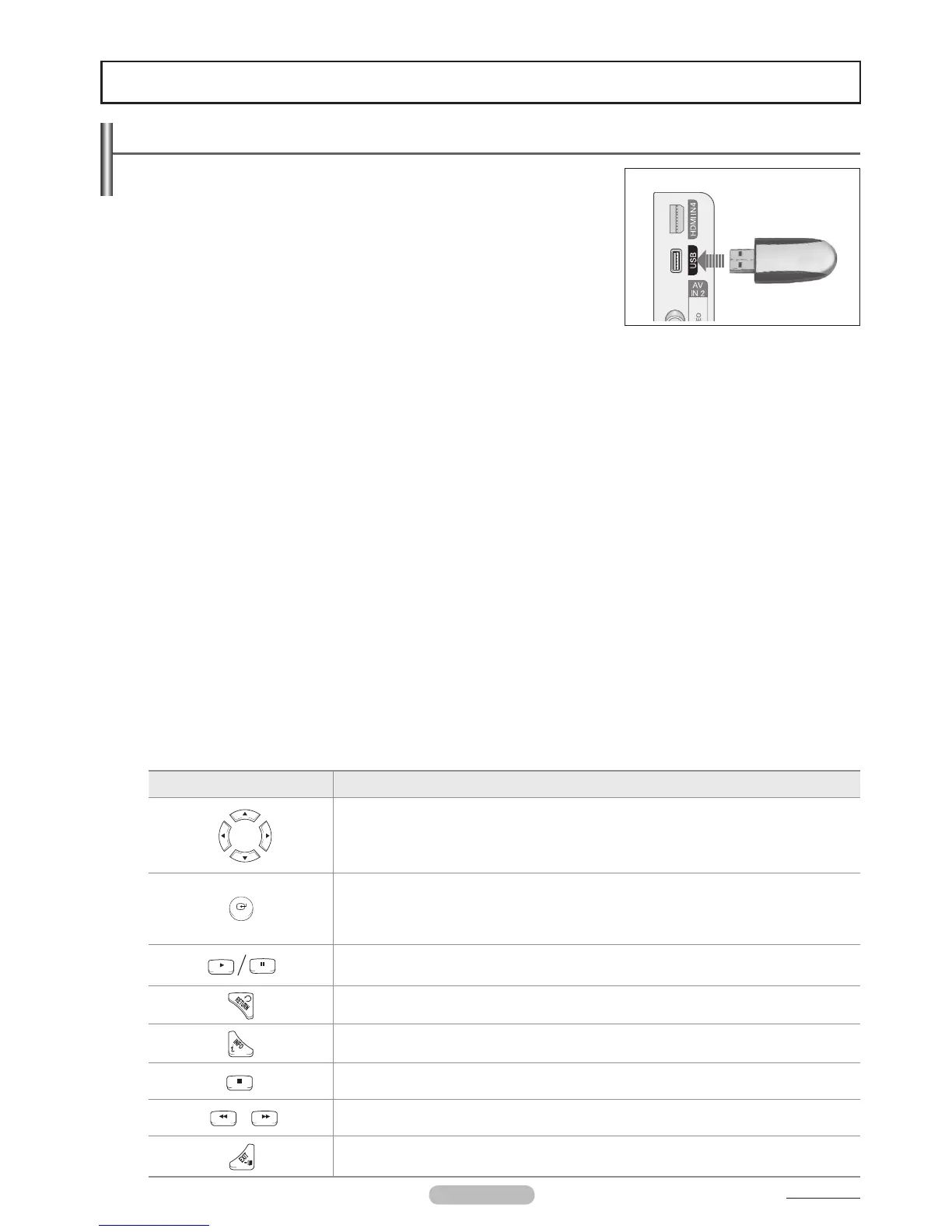
Using the Media Play Function
This function enables you to view and listen to photo (JPEG) and audio files (MP3)
saved on a USB Mass Storage Class (MSC) device.
1. Press the POWER button on the remote control or front panel.
The TV is powered on.
2.
USB jack on the side of the TV.
If you enter the Media Play mode with no USB device connected the message There
is no device connected. will appear. In this case, insert the USB device, exit the
screen by pressing the MEDIA.P button on the remote control and enter the Media
Play screen again.
PTP(Picture Transfer Protocol) is supported, but MTP(Media Transfer Protocol) is not
supported.
Certain types of USB Digital camera and audio devices may not be compatible with this TV.
Media Play only supports USB Mass Storage Class devices (MSC). MSC is a Mass Storage Class Bulk-Only Transport device.
Examples of MSC are Thumb drives and Flash Card Readers (Both USB HDD and HUB are not supported.)
Please connect directly to the USB port of your TV. If you are using a separate cable connection, there may be a USB Compatibility
problem.
Do not disconnect the USB device while it is loading.
We recommend the sequential jpeg, and progressive jpeg format. Progressive jpeg uses a lot of memory and decoding may fail.
If the horizontal resolution of an image is higher than 5000, it cannot be decoded.
If the vertical resolution of an image is higher than 4000, it cannot be decoded.
The higher the resolution of the image, the longer it takes to display on the screen.
The maximum supported JPEG resolution is 15360x8640 pixels
DRM(Digital Rights Management) prevents illegal uses of digital media for copyright protection.
Using the Remote Control Button in the Media Play Menu
Button Operations
Move the cursor and select an item.
Select the currently selected item.
During a Slide Show or Music Play:
- Pressing the ENTER
E
button during play pauses the play.
- Pressing the ENTER
E
button during pause resumes the play.
Play or pause the Slide Show or Music file.
Return to the previous menu.
Run various functions from the Photo and Music menus.
Stop the current Slide Show or Music file.
Page Up or Down (file list item)
Stop the current function and return to the Media Play main menu.
N
N
N
N
N
N
N
N
N
N
N
N
N
N
N
N
N
N
N
N
N
❑







 To Next Page