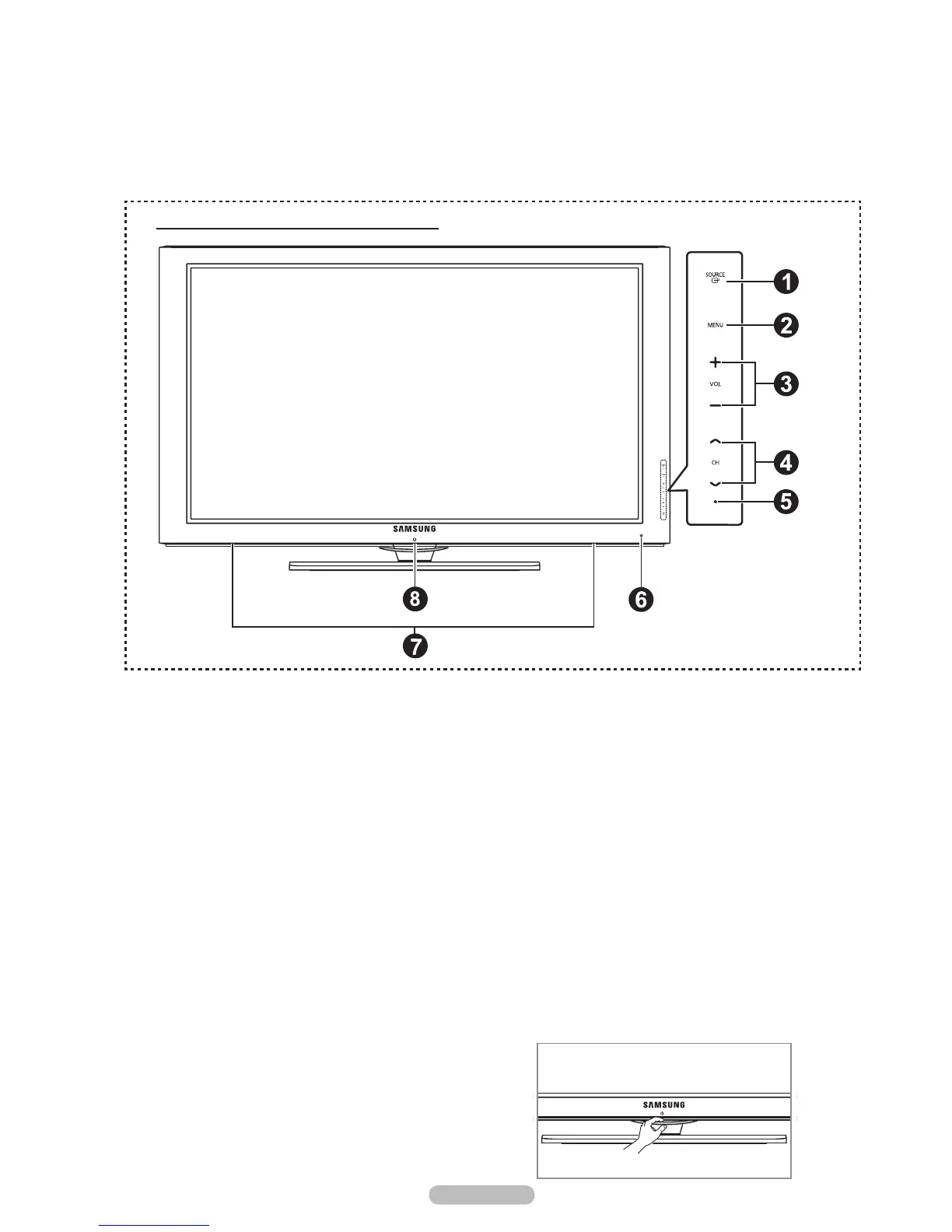
1
SOURCE
E
Toggles between all the available input sources
(TV, AV1, AV2, Component1, Conponent2, PC, HDMI1, HDMI2/DVI, HDMI3, HDMI4).
In the on-screen menu, use this button as you use the ENTER
E
button on the remote control.
2
MENU
Press to see an on-screen menu of your TV’s features.
3
+ VOL –
Press to increase or decrease the volume. In the on-screen menu, use the + VOL – buttons as you would use the
4
<
CH
>
Press to change channels. In the on-screen menu, use the
<
CH
>
remote control.
5
POWER INDICATOR
Blinks and turns off when the power is on and lights up in stand-by mode.
6
REMOTE CONTROL SENSOR
Aim the remote control towards this spot on the TV.
7
SPEAKERS
8
P POWER
Touch the silver sensor below the (P) mark to turn the TV on and off.







 To Next Page