EasyManua.ls Logo

Samsung AC100RN4PKG - Page 84

Samsung AC100RN4PKG
257 pages
Print Icon
To Next Page IconTo Next Page
To Previous Page IconTo Previous Page
Loading...
Disassembly and Reassembly
3-30 Samsung Electronics
No. Parts Procedure Remark
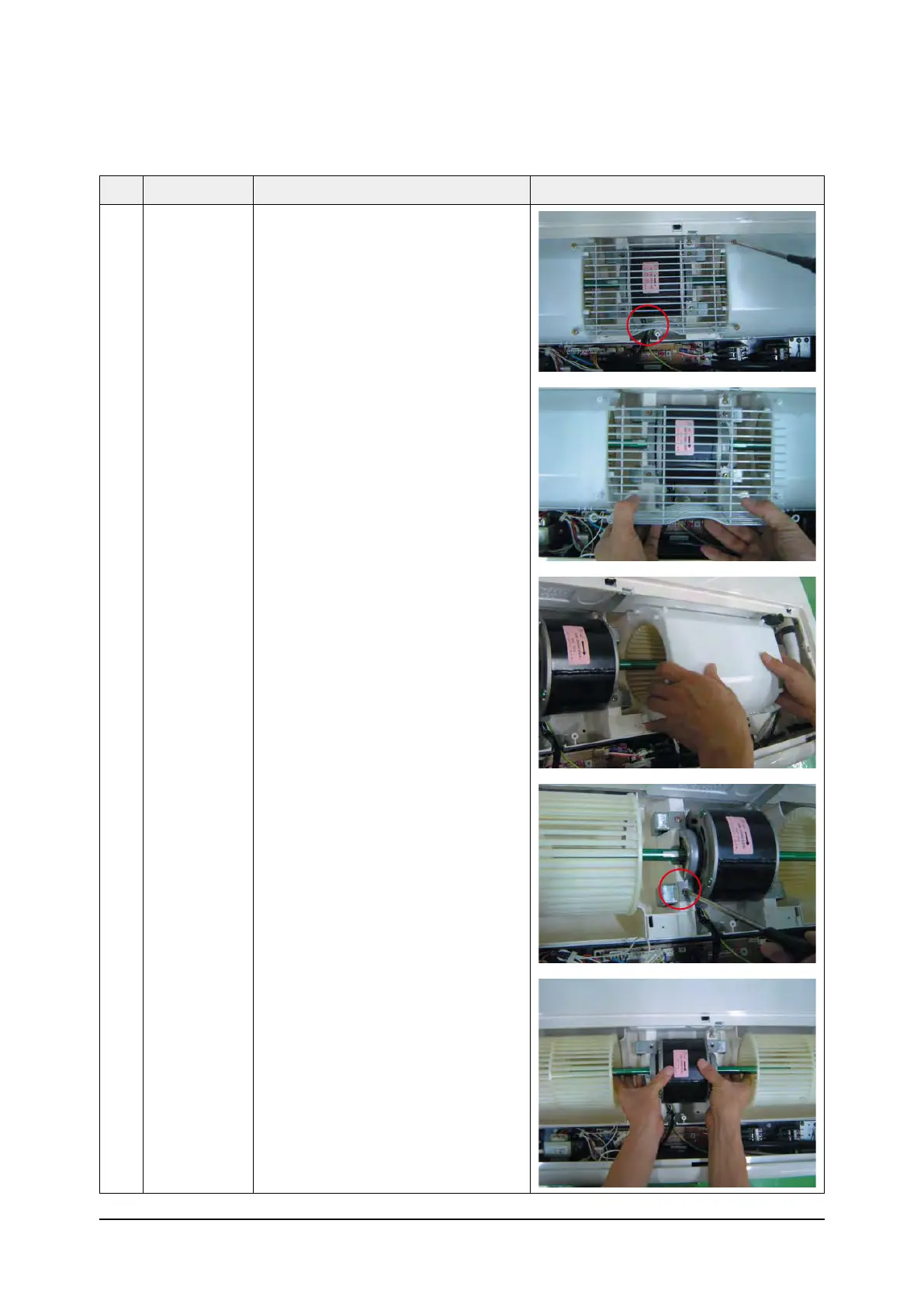
4) Loosen the Guard Safety by removing
6 screws.
5) Detach the Upper Case of Fan. (2EA)
6)
Loosen the 4 screws what is fix the Motor.
7) Detach the Fan and Motor assembly.

Table of Contents

Other manuals for Samsung AC100RN4PKG

Related product manuals