Disassembly and Reassembly
Samsung Electronics 3-31
No. Parts Procedure Remark
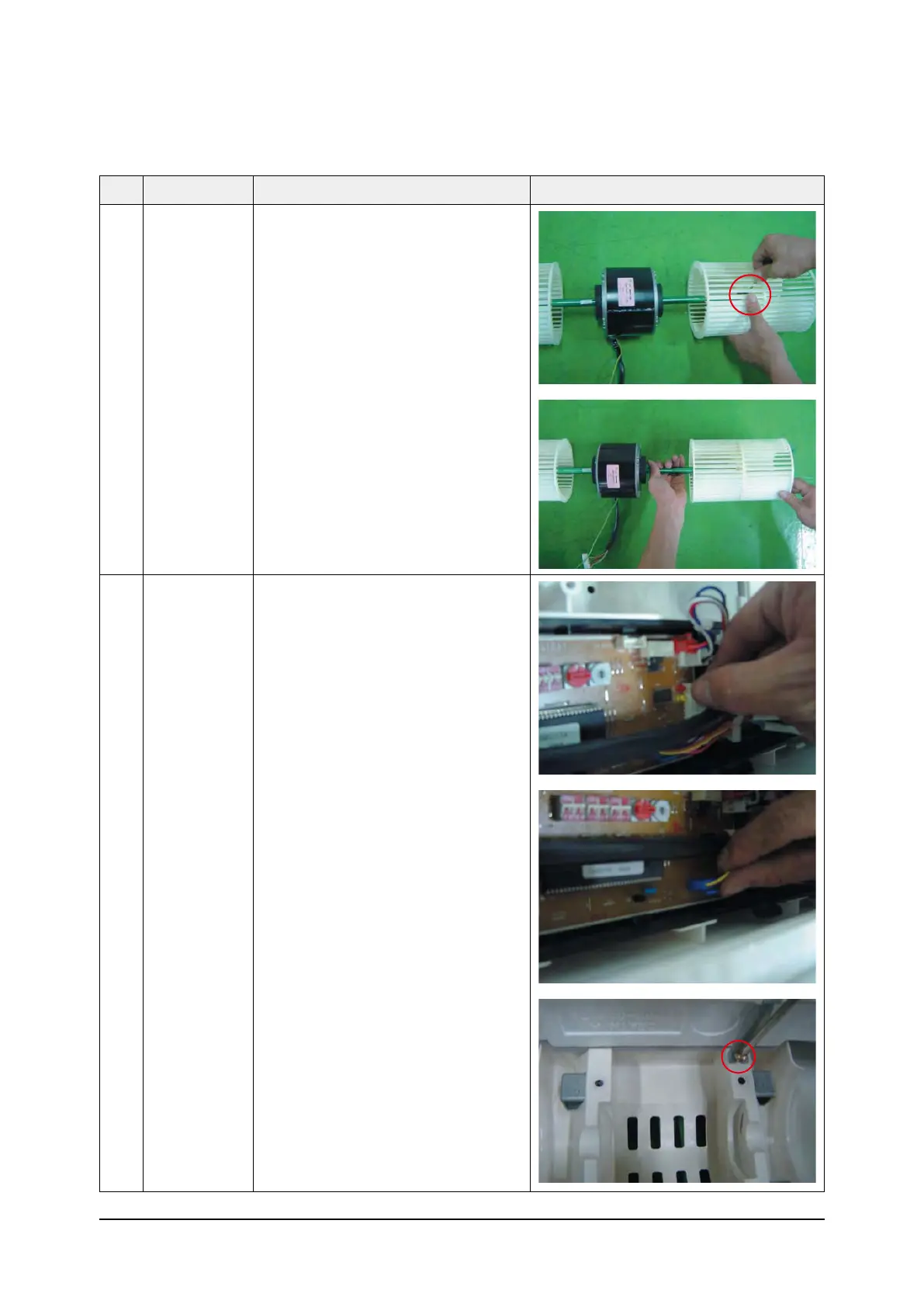
8) Loosen the set fixing bolts.
(with a M3 wrench)
9) Detach the Fan.
3 Drain Pan 1) Disconnect the Display PCB Wire
as shown in picure. (White housing)
2) Disconnect the Step Motor Wire as
shown in picture. (blue housing)
3) Dosassemble the Hanger Bracket by
removing the 1 screw.



 To Next Page