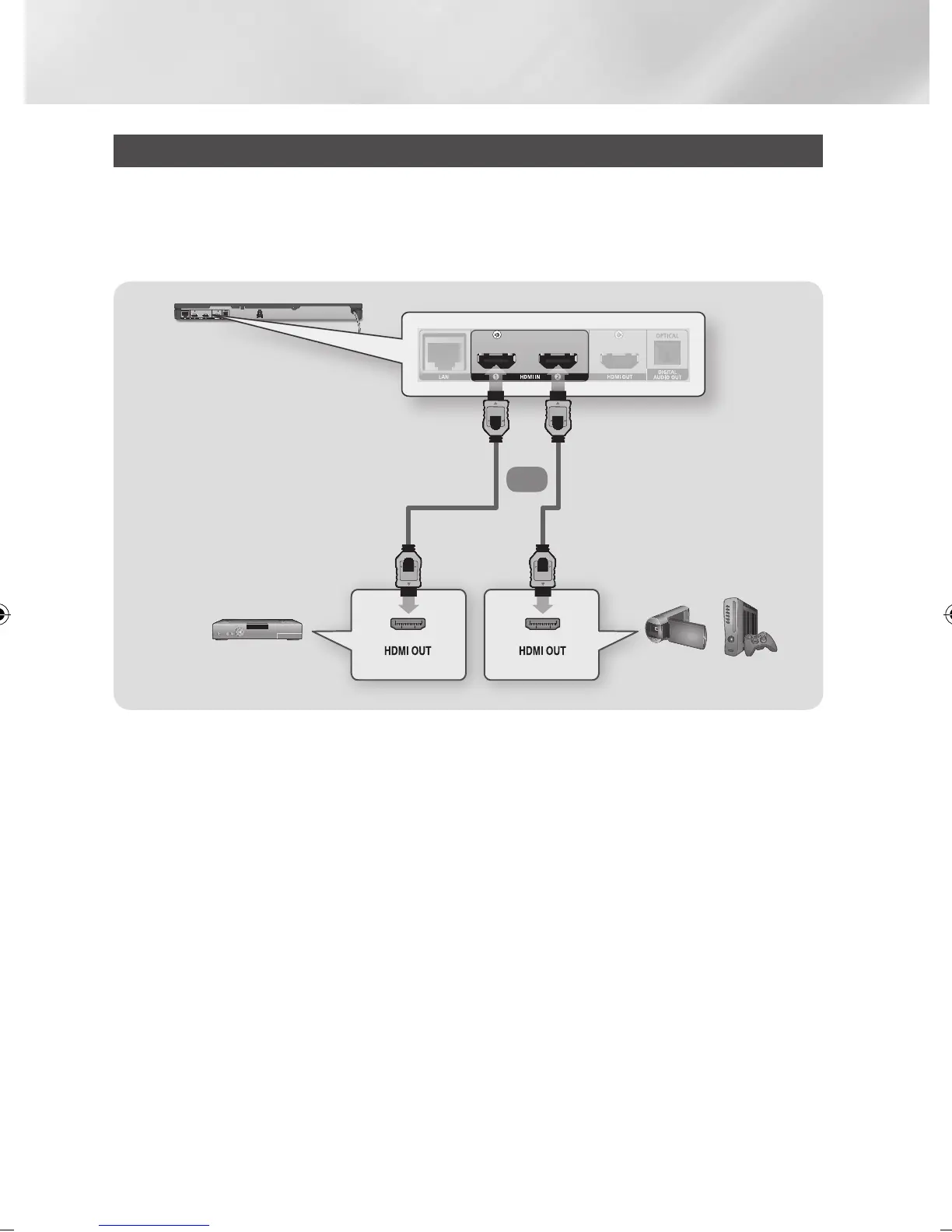
Connecting to External Devices
You can use the player to increase the number of devices you can connect to your TV by connecting up
to two external devices to the HDMI IN ports on the back of the player.
- Do not connect the power cord to the wall outlet until you have made all the other connections.
- When you change the connections, turn off all devices before you start.
| NOTE |
\
If you set "Pass Through HDMI IN 1" to On when an external device is connected to the HDMI IN 1 Jack, you can view the
output from the device on your TV without turning on the player.
Or
Camcorder Game
console
STB
|
18 English
02229K-BD-E6500-ZK-ENG.indd 18 2012-05-02 오후 6:03:11



 To Next Page