1.4 CHAPTER ONE: YOUR NEW TV
YOUR NEW TV
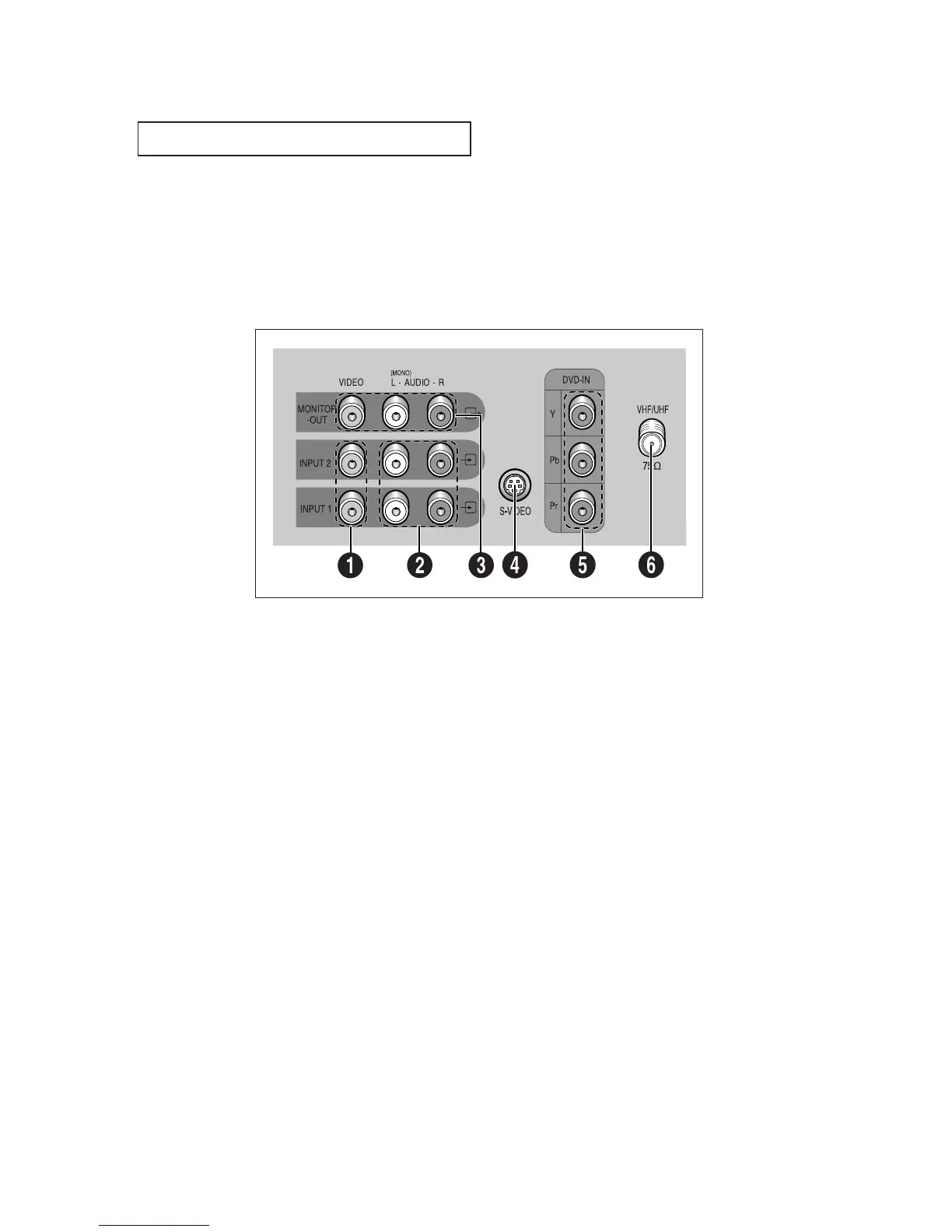
Rear Panel Jacks
Use the rear panel jacks to connect an A/V component that will be connected
continuously, such as a VCR or a laserdisc player.
Because there are two sets of input jacks, you can connect two different A/V
components (i.e., a VCR and a laserdisc, 2 VCRs, etc.)
For more information on connecting equipment, see pages 2.1 – 2.8.
Œ
VIDEO INPUT jack
Video signals from VCRs, laserdisc
players and similar devices.
´
AUDIO INPUTS(INPUT1 and 2)/
DVD AUDIO INPUTS
(INPUT 2)
Audio signals from VCRs, laserdisc
players and similar devices.
Use these jacks to connect the audio signals
from a DVD player when using the DVD video
input jacks. When not using the DVD jacks, these
audio jacks function as audio for Video 2 or S-
VIDEO).
ˇ
AUDIO-VIDEO MONITOR
OUTPUT jacks
These audio-video signals are identical to A/V
signals being displayed on the big screen. (Typi-
cally used as the input signals for a recoding
VCR.)
¨
SUPER VIDEO INPUT jack
(Except models CT-29K3W/
CT-29K5W)
S-Video signal from an S-VHS VCR or laserdisc
player.
ˆ
DVD VIDEO INPUT jacks
Connect video from a DVD player.
Note: Only black and white signals are output
from a monitor in DVD mode.
Ø
VHF/UHF
Connect to an antenna or to a cable TV system.





 To Next Page