3.6 CHAPTER THREE: TV OPERATION
OPERATION
3
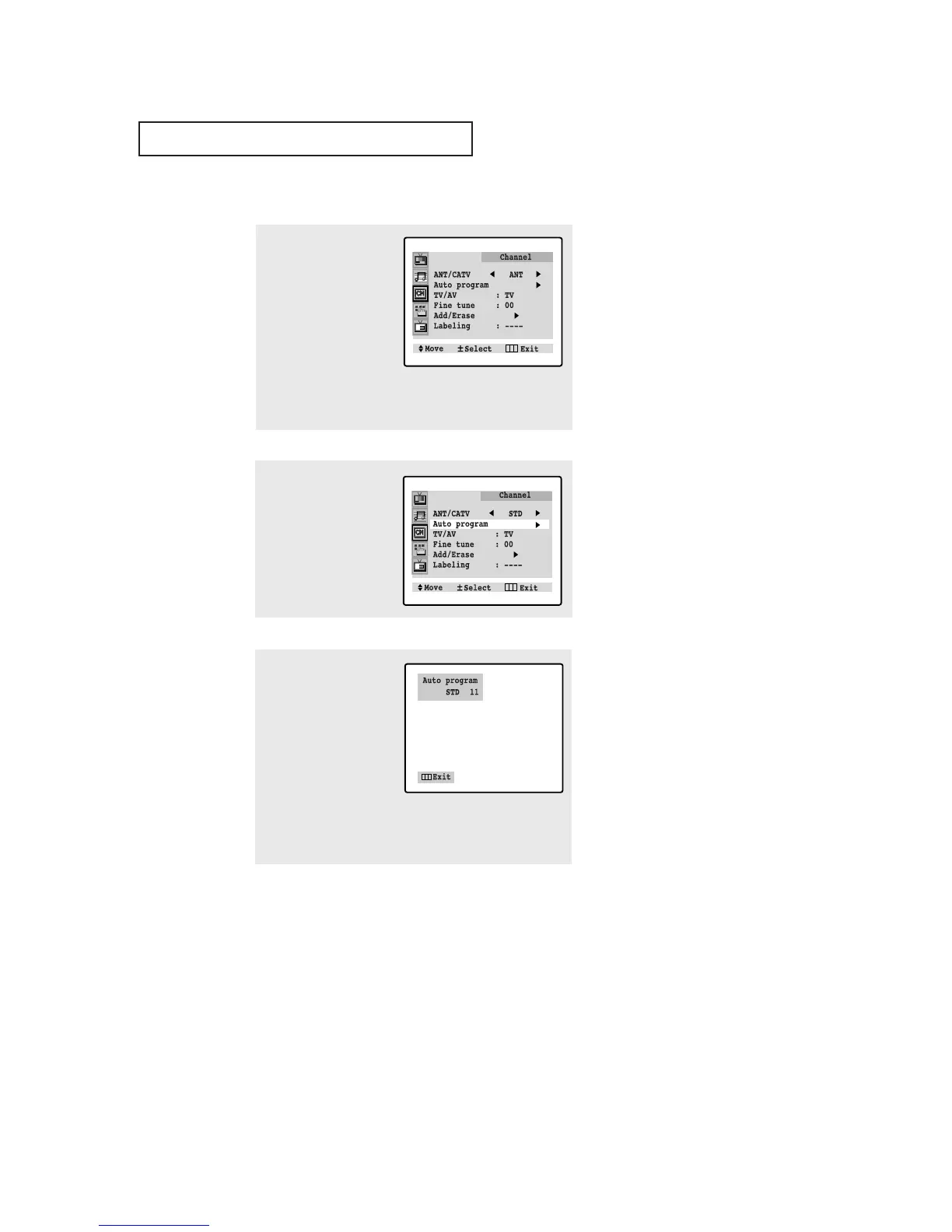
Press VOL +.
The TV will begin
memorizing all of the
available channels.
4
After all the available
channels are stored, the
Auto program menu
reappears. Press MENU
twice to exit.
Storing Channels in Memory (Automatic Method)
▼
The TV automatically cycles
through all of the available channels
and stores them in memory. This
takes about one to two minutes.
Press MENU at any time to interrupt
the memorization process and return
to the Channel menu.
2
Press CH ▼ to select
“Auto program”.
1
First, select the correct
signal source (ANT, STD,
HRC, IRC). See steps 1~4
on previous page.
Press MENU, then press
CH ▼ twice to select
“Channel.”
Press VOL + to access
the Channel sub-menu.







 To Next Page