3.12 CHAPTER THREE: TV OPERATION
OPERATION
Using Automatic Picture Settings
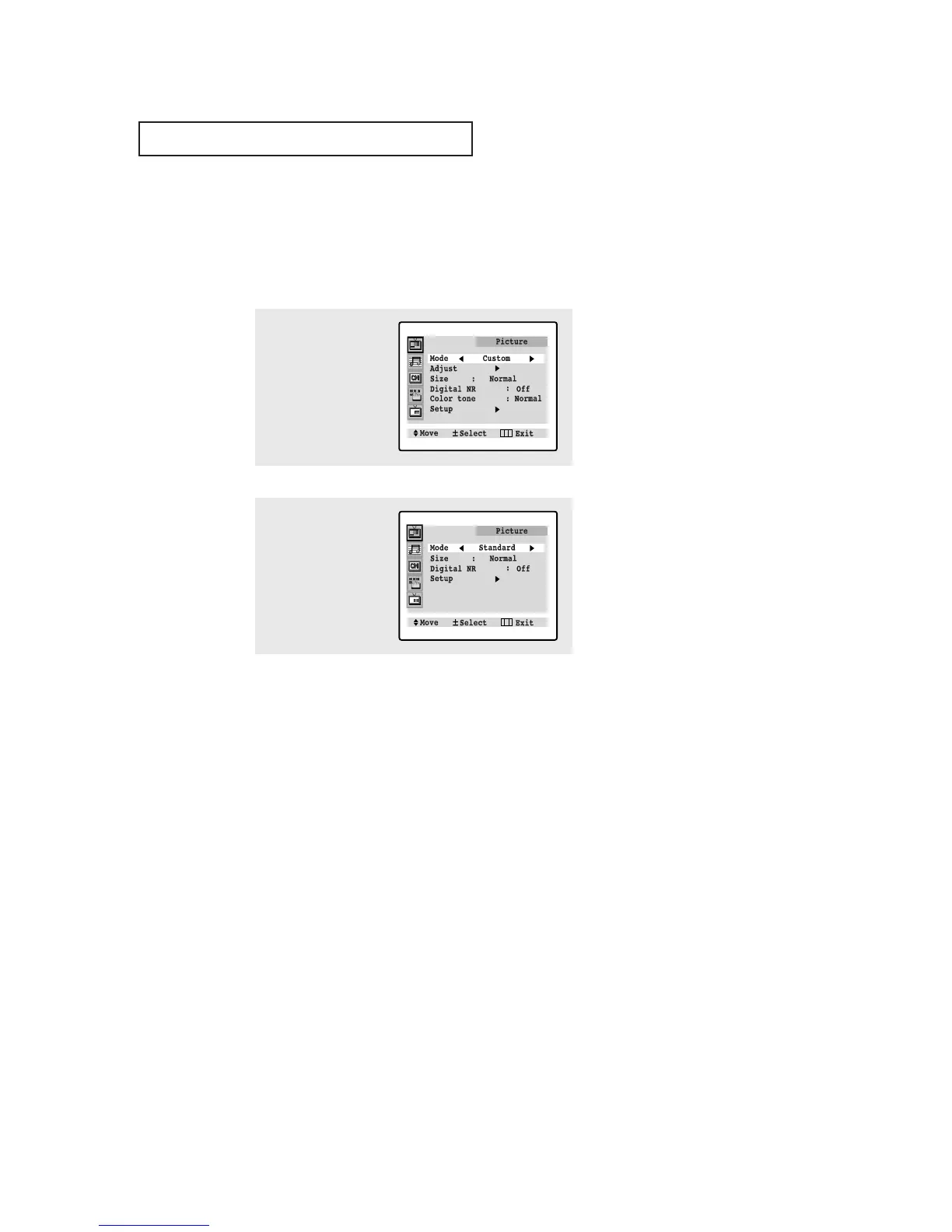
Your Samsung TV has three automatic picture settings (“Standard”, “Natural”, and
“Mild”) that are preset at the factory. You can activate either Standard or Mild by making
a selection from the menu). Or, you can select “Custom” which automatically recalls
your personalized picture settings.
• Choose Standard for the standard factory settings.
• Natural: Optimal indoor screen condition.
• Choose Mild (“Mild Contrast”) when viewing the TV in low light, or when
playing video games.
• Choose Custom if you want to adjust the settings accordings to personal
preference (see “Customizing the Picture, page 3.11).
1
Press MENU to
display the menu.
Press VOL +.
2
Press VOL - or VOL + to
select the “Standard,”
“Natural,” “Mild,” or
“Custom” picture set-
ting.





 To Next Page