Alignment and Adjustments
3-8 Samsung Electronics
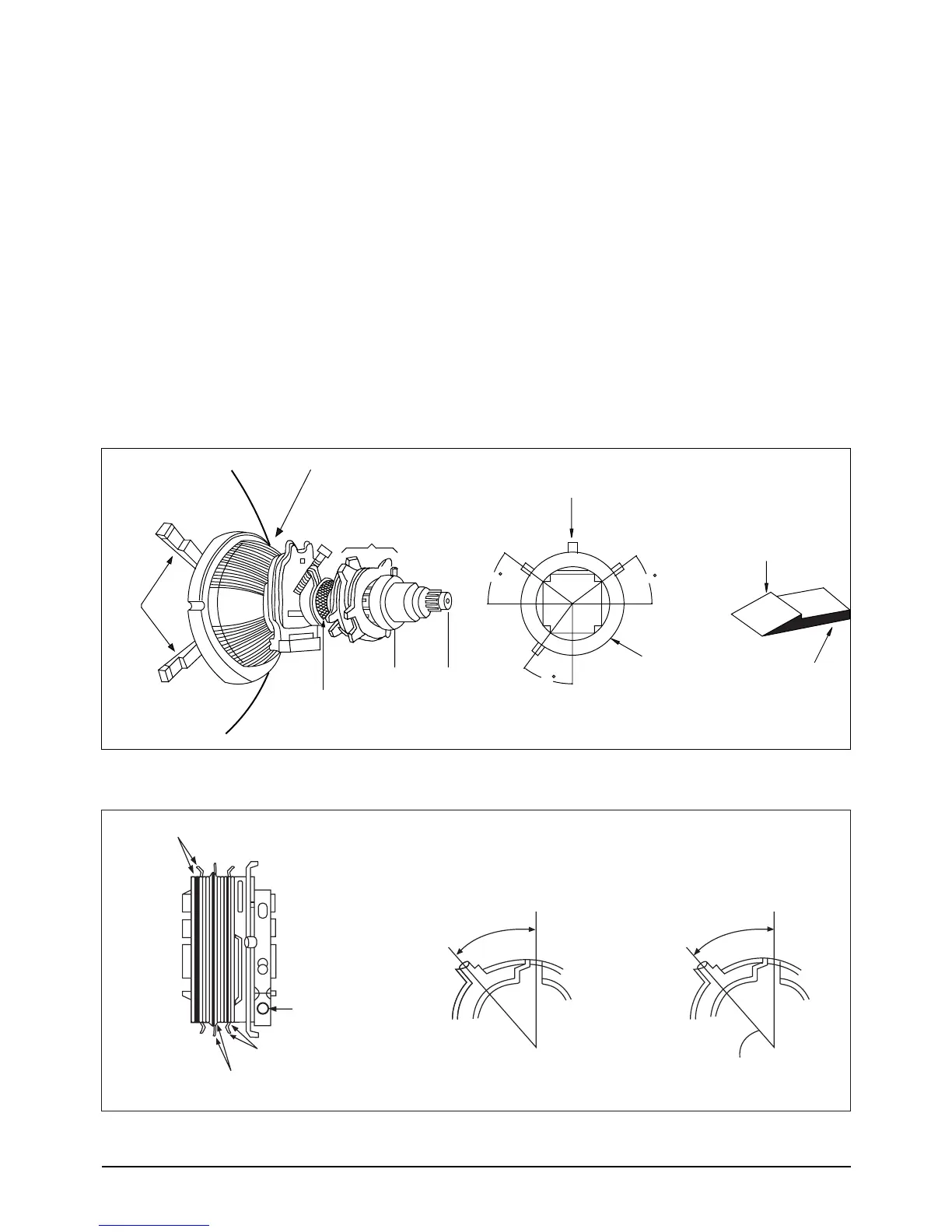
3-3-7 Color Purity Adjustment
1. Warm up the receiver. Operate it for 20 min-
utes, with the Brightness control set to maxi-
mum.
2. Fully degauss the receiver. Use an external
degaussing coil.
3. Roughly adjust convergence by rotating the
Convergence Magnet.
4. Input a black and white signal.
5. Loosen the Deflection Yoke clamp screw, and
move the Deflection Yoke as close to the puri-
ty magnet as possible.
6. Loosen the Purity Magnet clamp. Adjust the
purity magnet so that the vertical green raster
is precisely at the center of the screen. Then
tighten the clamp.
7. Slowly move the Deflection Yoke forward, and
adjust it for the best overall green screen.
8. Tighten the Deflection Yoke clamp screw.
Fig. 3-1 Tube Assembly



 To Next Page