Alignment and Adjustments
Samsung Electronics 3-9
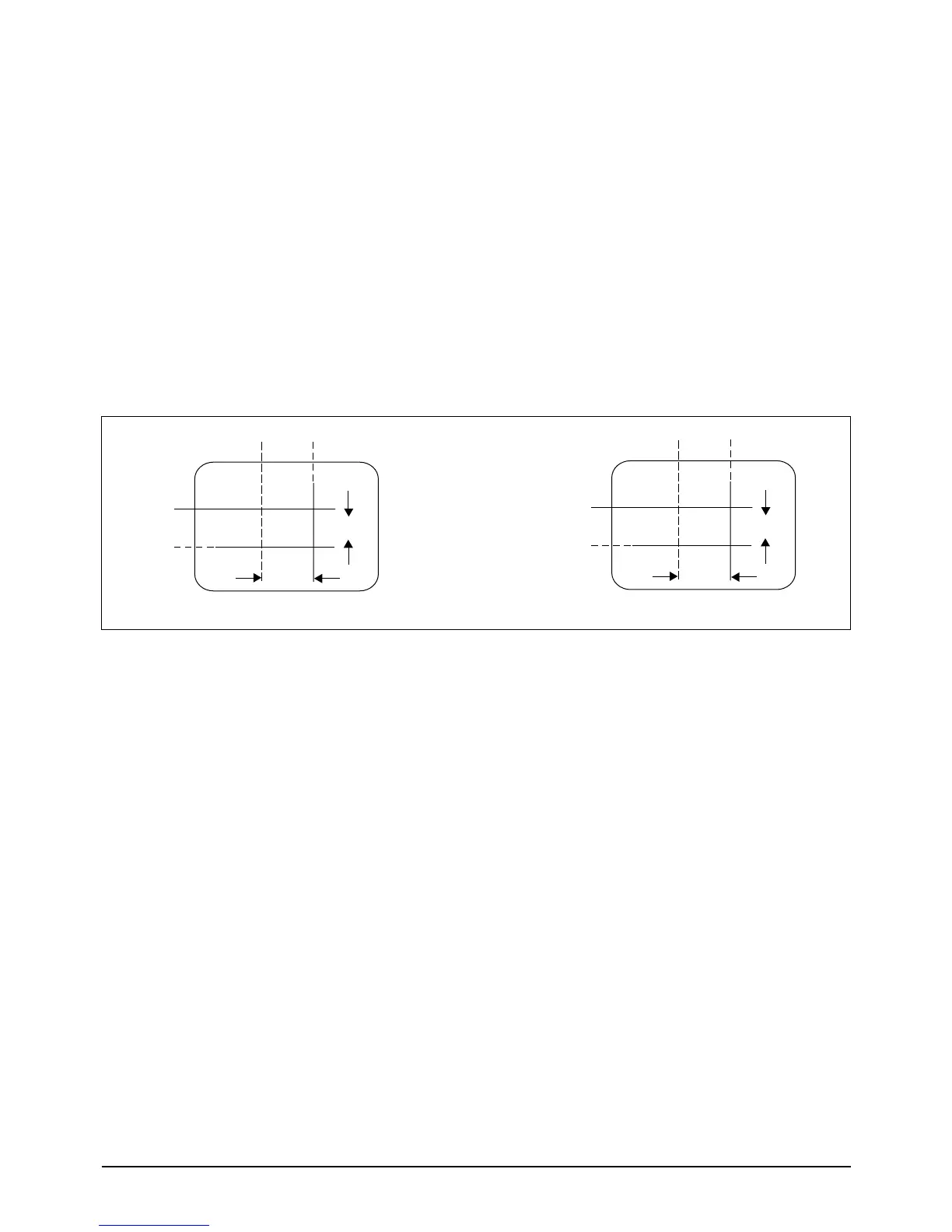
3-3-8 Center Convergence Adjustment
Note: Before attempting any convergence
adjustment, make sure that the receiver has
been powered ON for at least twenty minutes.
1. Input a crosshatch pattern from a color bar
generator.
2. Adjust the Brightness and Contrast controls
for a well defined pattern.
3. Adjust the two tabs of the 5-pole magnets.
Change the angle between the tabs, and super-
impose red and blue vertical lines in the center
area of the picture screen.
4. Next, turn both tabs at the same time. Keep
the angle between the tabs constant, and
superimpose the red and blue horizontal lines
at the center of the screen.
5. Adjust the two tabs of the 6-pole magnets.
Superimpose the red/blue lines on the green.
Adjusting the angle affects the horizontal
lines.
6. Repeat adjustments 3, 4 and 5. The dot move-
ment is complex because the 4-pole and 6-
pole magnets interact.
Fig. 3-3 Center Convergence Adjustment
3-3-9 AGC Adjustment
1. Input a COLOR-BAR pattern. (CH2)
2. Set the RF input signal to 70 dBmV.
3. Use Generator for PM5518 & PM5418.
4. Set AGC (in the Factory Mode) so that the DC level of IC TDA8375
Pin 53 is 3.0 +0.05V.
3-3-10 AFT (VCO Adjustment)
1. Input an AGC adjustment signal.
2. Select Factory Mode VCO and press the MUTE key one time.
3. GEOMATRIX adjustments
VS EWA
VA EWP
VSL EWC
HS EWT
_



 To Next Page