● RUNNING THE PROGRAM
Using the Digital Function
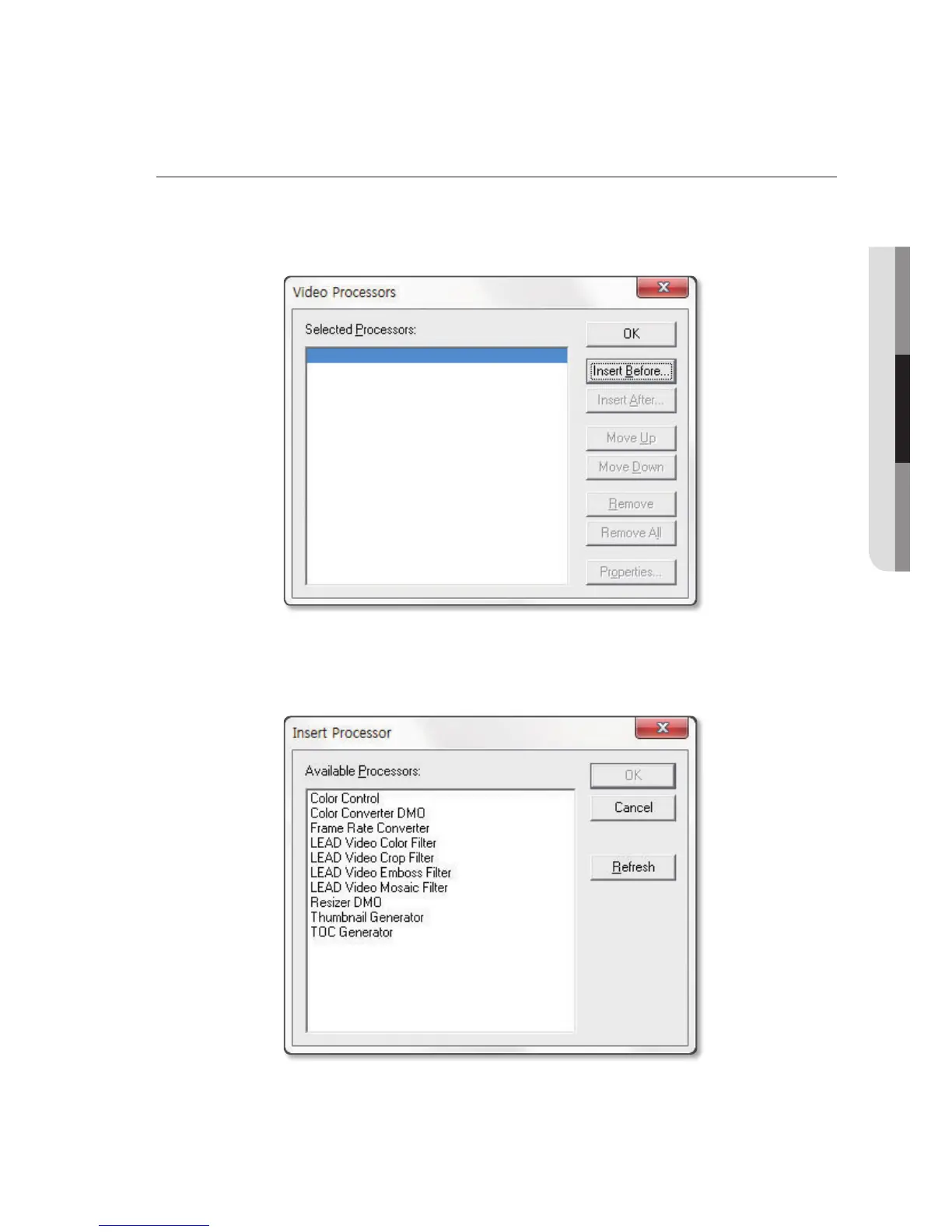
1. While displaying the video on the PC screen from the Samsung Digital Presenter, press [View] >
[Digital Function] button to open Video Processors dialog.
(When in capturing mode, stop capturing to run this function.)
2. Click [Insert Before] button to apply a desired effect, which will play video on the computer’s monitor
applied with the selected effect. Click [Insert After] button to apply the effect to other video files. Use
[Move Up/Down] button to arrange order of effects. Click [Properties] button to edit settings of each
effect.
3. To clear application of effects and restore original, click [Remove All] button.
English
_17



 To Next Page