26_ running the program
Scan Image
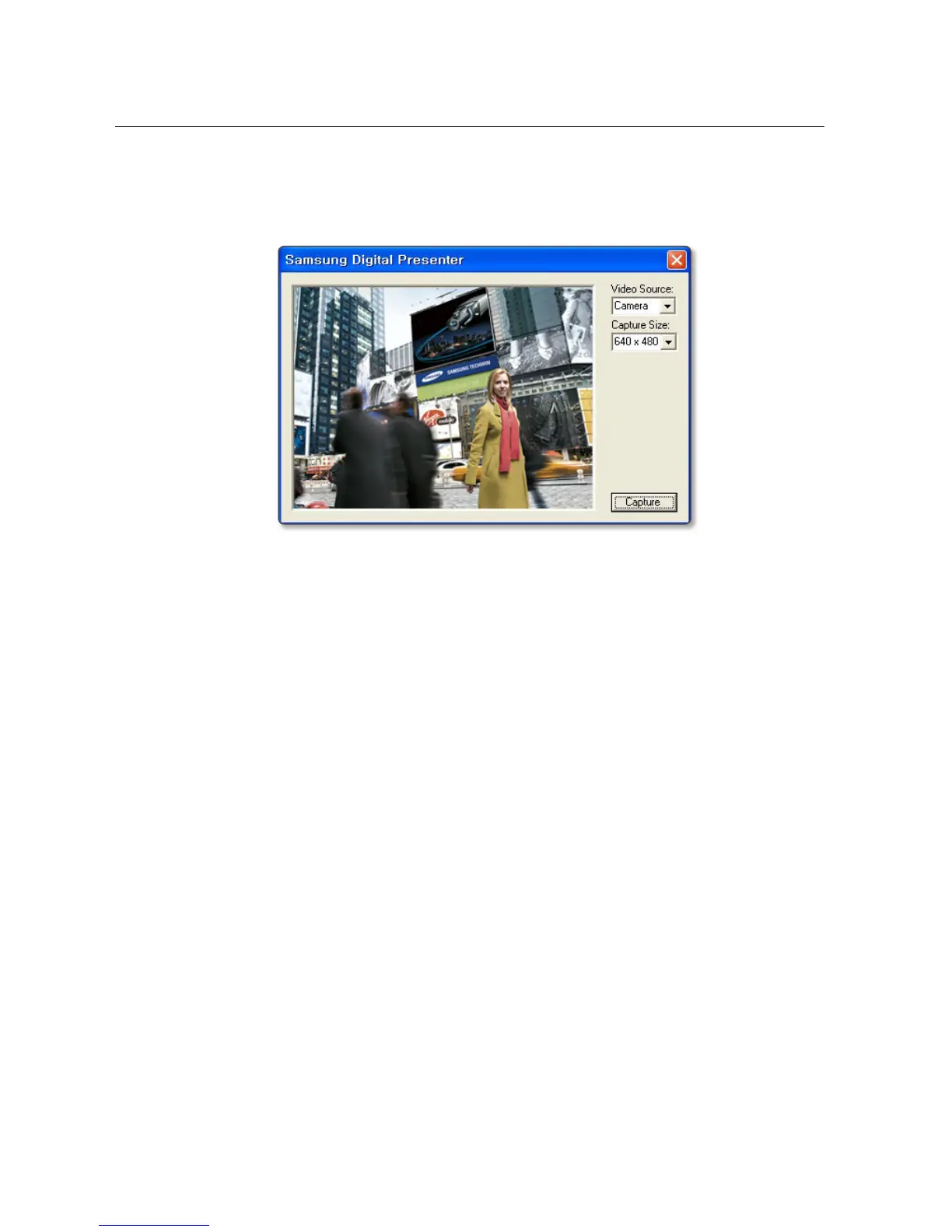
1. Owing to the TWAIN driver, the video from the digital presenter will be displayed on the screen. Select
a size of the image that you want to scan using TWAIN.
2. When done, click [Capture] to start scanning.
3. When the screen capture is completed, the captured video will be transferred to the graphic
application.
4. According to the graphic application, you can exit the TWAIN Driver or select to keep running the
program for a continuous transfer of scanned images. For more information, refer to the user manual
of the graphic application.
J
`
TWAIN driver of a certain graphics application may not be supported.
(ex: Does not support Photoshop CS5)
`
Recommended to use MS Office Word 2003 and Photoshop CS3.



 To Next Page