● INSTALLATION
Installing Samsung Digital Presenter installer program
1. Before connecting the digital presenter to the PC, you must install the provided installer software on
your PC before making USB connection so that the presenter can display video properly.
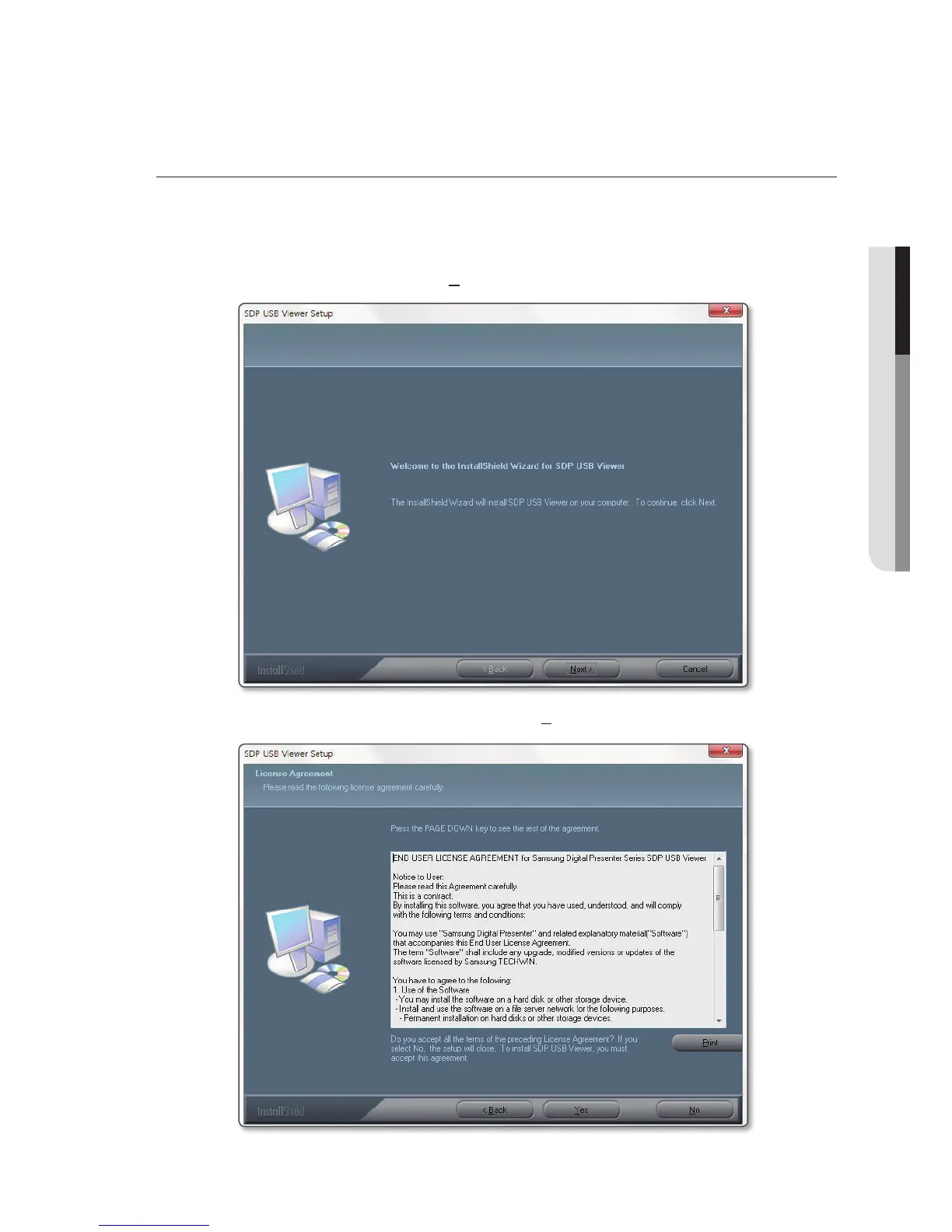
2. Insert the CD, and select Install Viewer from the autorun screen to begin installation.
3. From the start screen of the Wizard, click [Next].
4. The end-user license agreement will be displayed. Click [Yes].
English
_5



 To Next Page