Removal and Reassembly _ 13
Part Figure Description
Frame Panel
Removal
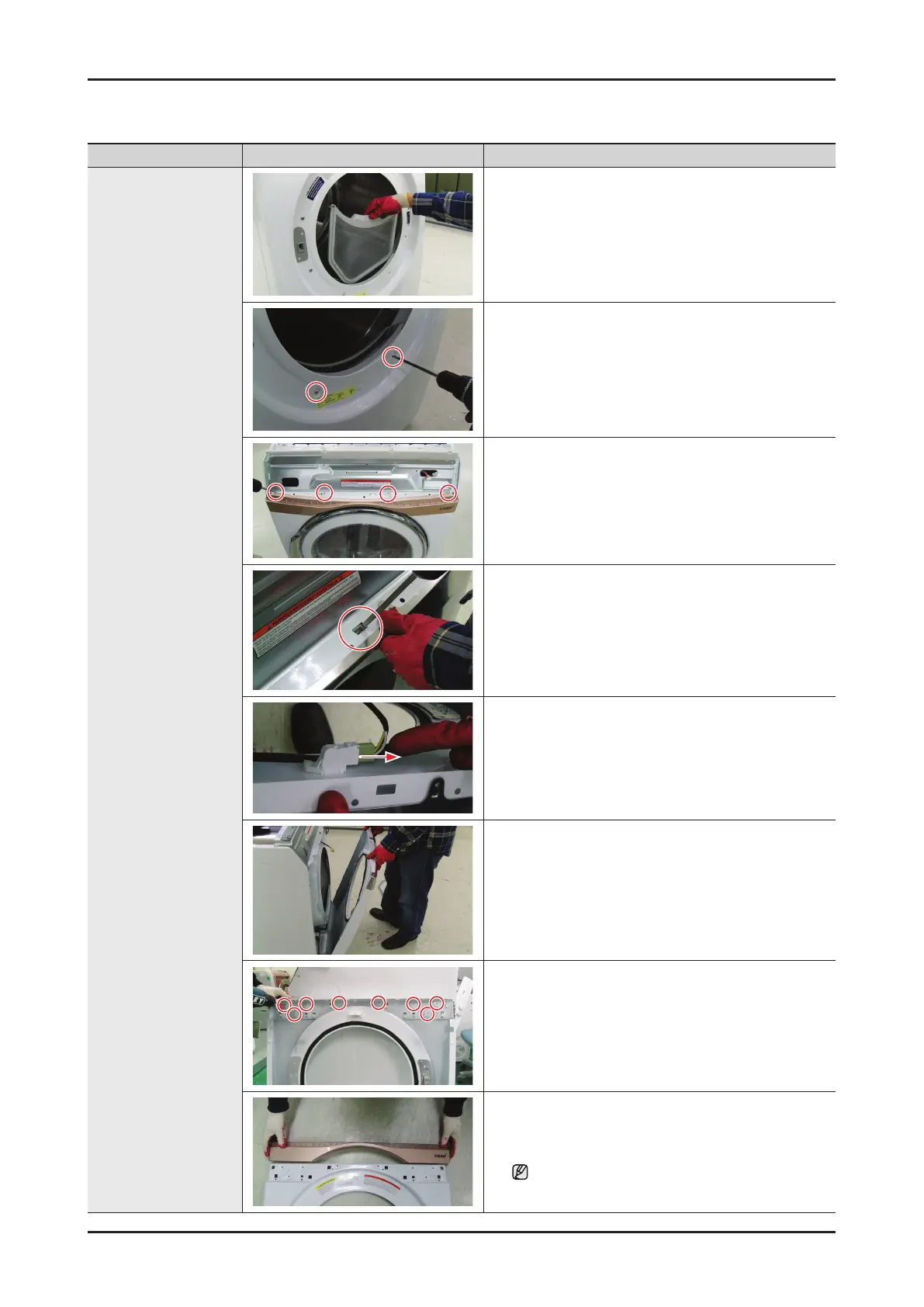
1. Disconnect the power supply to the unit
2. Remove the Top Cover, and the Console
3. Remove the filter
4. Remove 2 Screw from the Frame front
5. Remove 4 Screw from the Plate (u)
6. Push the flange
7. Remove the Door switch Housing
8. Lift the Front Panel off the three tabs across the
bottom and remove
9. Remove 4 Screw from the Frame Panel
10. Remove the Decoration-Front from the Frame
Panel
Always wear the protective gloves.




 To Next Page