Removal and Reassembly _ 15
Part Figure Description
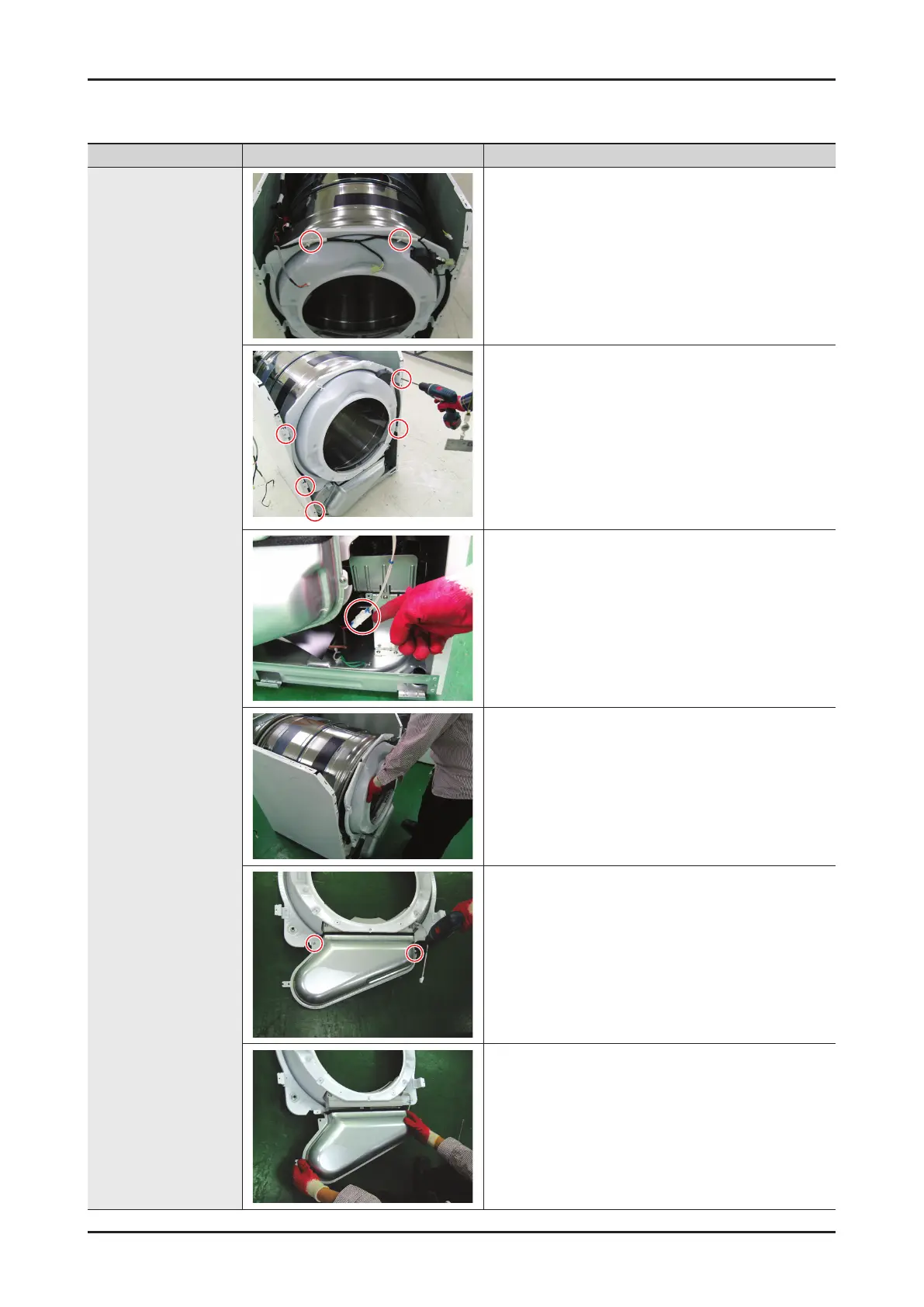
Front Bulkhead
Removal
1. Disconnect the power supply to the unit
2. Remove the Top Cover, the Console, the front
panel and the Plate(u)
3. Separate the wire in the wire Holder (2EA)
4. Disconnect Interior Light wiring Harness
5. Remove the four bulkhead retaining 5 screws.
6. Disconnect the moisture Sensor wiring Harness
7. Lift Bulkhead from the cabinet then remove it.
8. Remove 2 screw from the Duct Outlet
9. Remove the Duct Outlet




 To Next Page