16 _ Removal and Reassembly
Part Figure Description
Front Bulkhead
Removal (Continued)
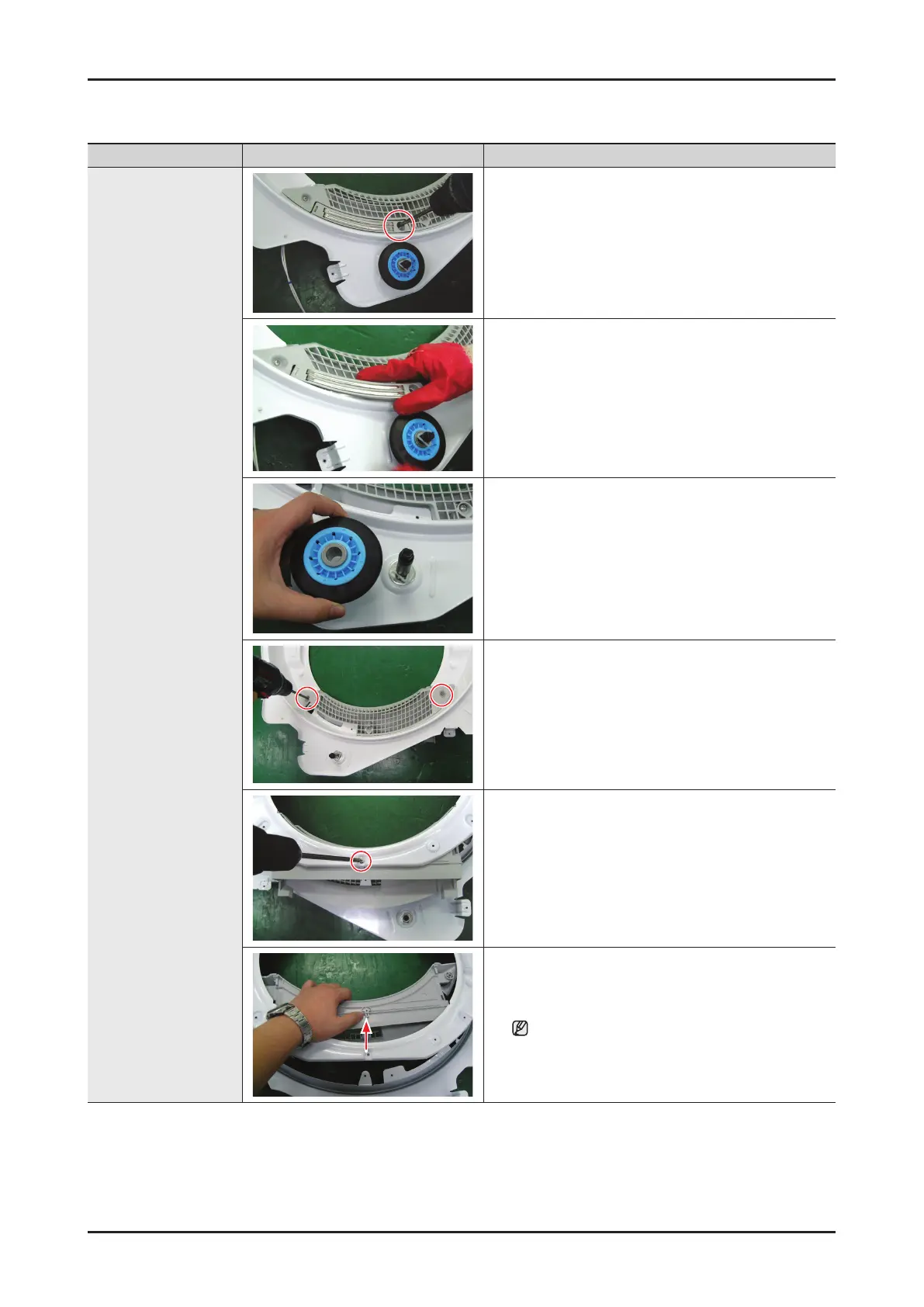
10. Remove 1 screw from the Touch Sensor
11. Remove the Touch Sensor
12. Remove the Roller
13. Remove 2 Screw from the Case Filter (B)
14. Remove 1 Screw from the Case Filter (F)
15. Remove the Case Filter (B/F)
Make sure the Filter does not get damaged by
the roller.




 To Next Page