EasyManua.ls Logo

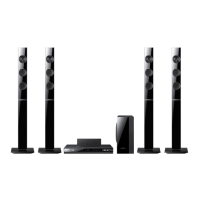
Samsung HT-E6500 - User Manual

Samsung HT-E6500
276 pages
Print Icon
To Next Page IconTo Next Page
Loading...
imagine the possibilities
Thank you for purchasing this Samsung product.
To receive more complete service,
please register your product at
www.samsung.com/register
5.1CH Blu-ray™
Home Entertainment System
user manual
HT-E6500
HT-E6500_XU_0222.indd 1HT-E6500_XU_0222.indd 1 2012-02-22 오후 1:56:422012-02-22 오후 1:56:42

Table of Contents

Questions and Answers

  • H
    huntmelissaAug 27, 2025
    Why is sound only coming from some speakers on my Samsung Home Theater System?
    • H
      hjonesAug 27, 2025
      If sound is only coming from a few speakers on your Samsung Home Theater System, note that some Blu-ray/DVD discs output sound from the front speakers only. Verify that all speakers are connected properly and adjust the volume levels. Also, when listening to a CD, radio, or TV, sound is typically output to the front speakers only.
  • P
    Pamela LopezAug 25, 2025
    Why is there no HDMI output from my Samsung HT-E6500?
    • K
      Kelly HerreraAug 26, 2025
      If there's no HDMI output from your Samsung Home Theater System, first, check the connection between your TV and the HDMI jack on the system. Then, verify that your TV supports the HDMI input resolution (576p/480p/720p/1080i/1080p).
  • F
    fkerrAug 23, 2025
    Why is there no sound coming from my Samsung HT-E6500?
    • M
      Ms. Kimberly WhiteAug 25, 2025
      If no sound is coming from your Samsung Home Theater System, remember that sound may not play during fast playback, slow playback, or step motion playback. Check if the speakers are properly connected and the speaker setup is correctly customized. Also, check the disc for severe damage.

Summary

Safety Information

Warning

General safety warnings, cautions, and electrical shock prevention measures.

Wiring the Main Power Supply Plug (UK Only)

Instructions for safely connecting the power cord and fuse.

Getting Started

Video File Support

Details supported video file extensions, codecs, resolution, and bit rates.

Remote Control

Explains the functions of each button on the remote control.

Connections

Connecting the Speakers

Explains how to position and connect the speaker system for optimal sound.

Connecting The Speakers

Step-by-step guide for connecting speaker wires to speakers and the main unit.

Connecting to a TV

Provides methods to connect the product to a TV using HDMI or Video cables.

Connecting to a Network Router

Explains wired and wireless network connection methods.

Settings

The Initial Settings Procedure

Step-by-step guide for initial product setup, including language and network.

Settings Menu Functions

Details the various display and picture settings available.

Auto Sound Calibration

Instructions for automatically optimizing sound settings using a microphone.

Networks and the Internet

Information on connecting to networks and accessing internet services.

Configuring Your Network Connection

Steps to set up wired and wireless network connections.

Wired Network

Detailed guide for setting up a wired network connection.

Wireless Network

Detailed guide for setting up various wireless network connection types.

Upgrading Software

Procedures for updating the product's software online or via USB.

Media Play

Playing Files on a USB Storage Device or iPod;iPhone

How to play media files from USB devices or iPod/iPhone.

Appendix

Troubleshooting

Common problems and their solutions for product malfunction.

Samsung HT-E6500 Specifications

General IconGeneral
Audio Channels5.1
Total Power Output1000 W
Blu-ray PlayerYes
3D PlaybackYes
Smart HubYes
USB Ports1
Wi-FiYes
TypeHome Theater System
Dimensions (Main Unit)430 x 60 x 300 mm
ConnectivityHDMI, USB, Wi-Fi

Related product manuals