English 19
02 Connections
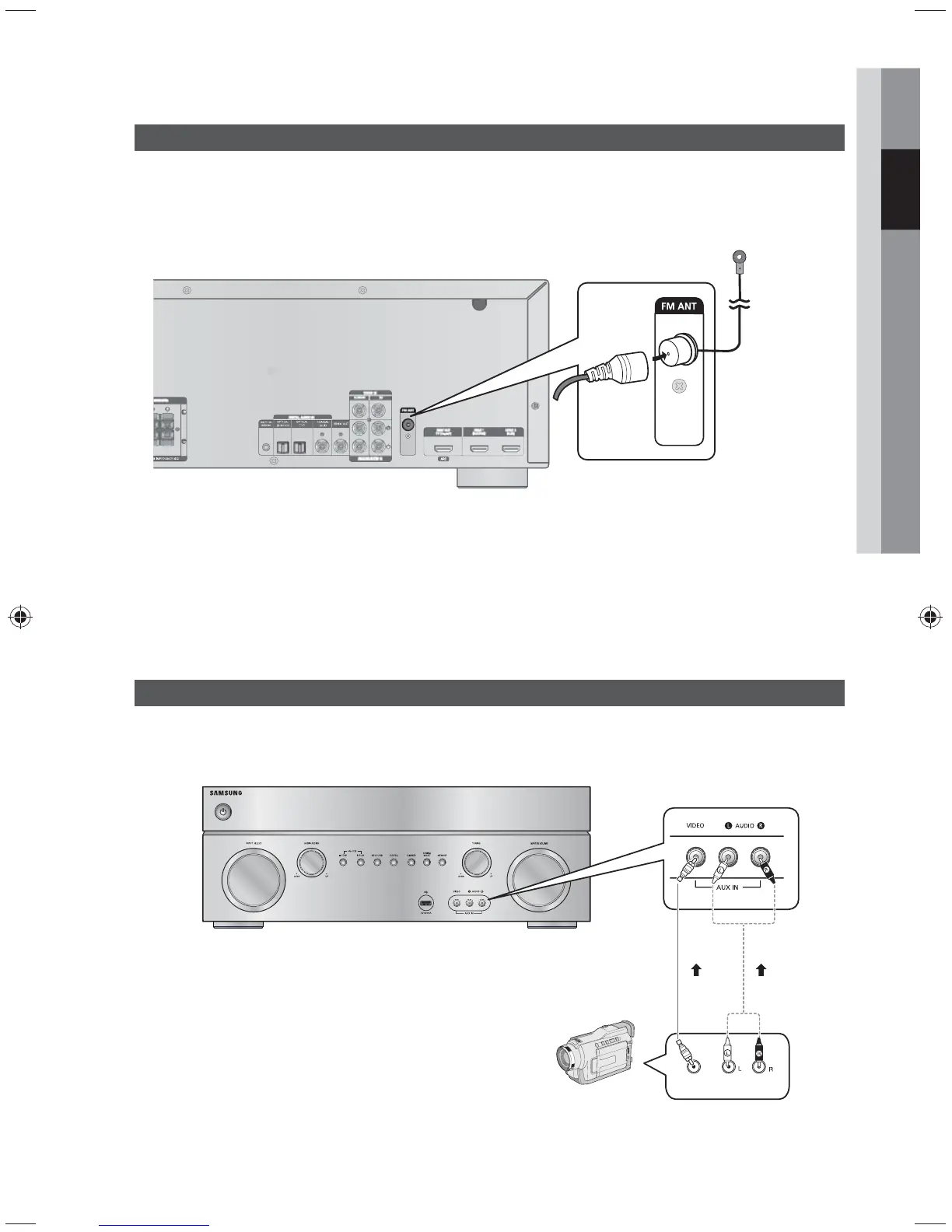
Connecting the FM Antenna
1. Connect the FM antenna supplied to the FM ANTENNA terminal as a temporary measure.
2. Slowly move the antenna wire around until you find a location where reception is good, then fasten it to a wall
or other rigid surface.
✎ NOTE
Do not place the antenna cable close to the power cord. Keep it as far away as possible.
If you experience poor FM reception, use an external antenna.
Connecting AUX Components
You can connect external devices you use for a short time (camcorder, game console, mobile equipment,
etc.) to the front of this unit for convenience.
FM antenna (supplied)
AUDIO
OUT
VIDEO
OUT
Camcorder



 To Next Page