32 English
Operation
Convenient Functions
Sleep Timer Function
You can set the time that this unit will shut itself off.
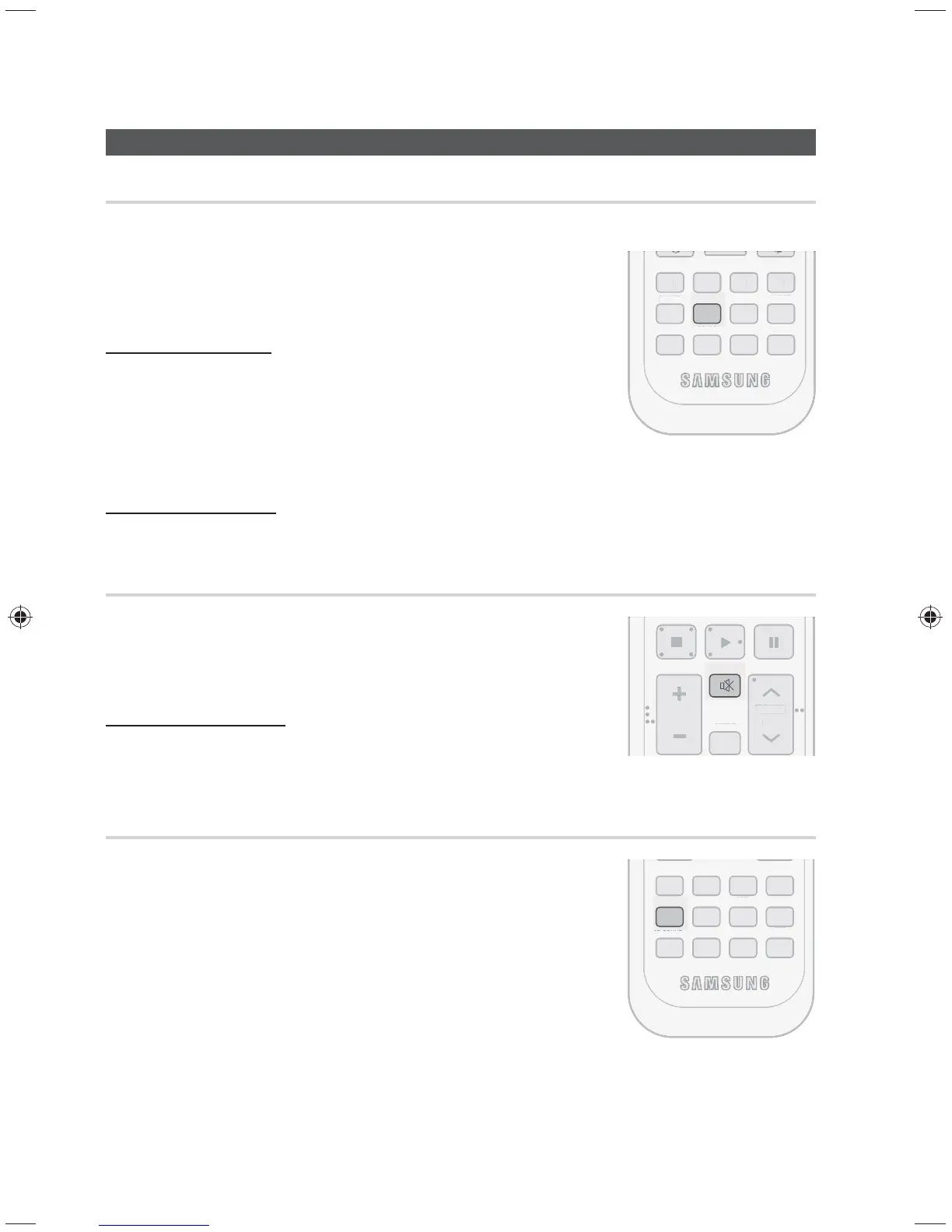
Press the SLEEP button.
• SLEEP : OFF SLP 10 SLP 20 SLP 30 SLP 60 SLP 90
SLP 120 SLP 150 will be selected in turn.
To check sleep timer
Press the SLEEP button.
• The remaining time before this unit will shut itself off is shown on the
display.
• Pressing the button again changes the sleep time from what you set
previously.
To cancel sleep timer
• Press the SLEEP button until SLEEP OFF appears on the display.
Mute Function
This function is useful when answering a doorbell or telephone call.
Press the MUTE button.
• MUTE appears on the display.
To output sound again
Press the MUTE button again or press the Volume button.
• MUTE will disappear and sound will output.
Adjust the Display
You can adjust the brightness of the display.
Press the DIMMER button.
• Each time you press this button, the brightness changes as follows :
Dark(Light on) Bright(Light off) Dark(Light off) Bright(Light on).
✎ NOTE
SLEEP, Mute can only be operated with the remote control.
MO/ST
TUNER
MEMORY
DIMMER SLEEP
P.BASS
AH59-02382A
S/W LEVEL
AUDIO
ASSIGN
3D SOUND
ABCD
TUNE
EM
RY
DIMME
P. B A
AH
-
2
2A
W LEVE
A
DI
I
D
N
B
MUTE
REPEAT
VOL
TUNING
/ CH
EPEA
OL
UNIN
MO/ST
TUNER
MEMORY
DIMMER SLEEP
P.BASS
AH59-02382A
S/W LEVEL
AUDIO
ASSIGN
3D SOUND
ABCD
TUNE
EM
RY
LEEP
.BA
H
-
2
2A
W LEVE
A
DI
A
I
B



 To Next Page