Using the Samsung Smart Control
"
This function is only supported for the 6500 series models or higher.
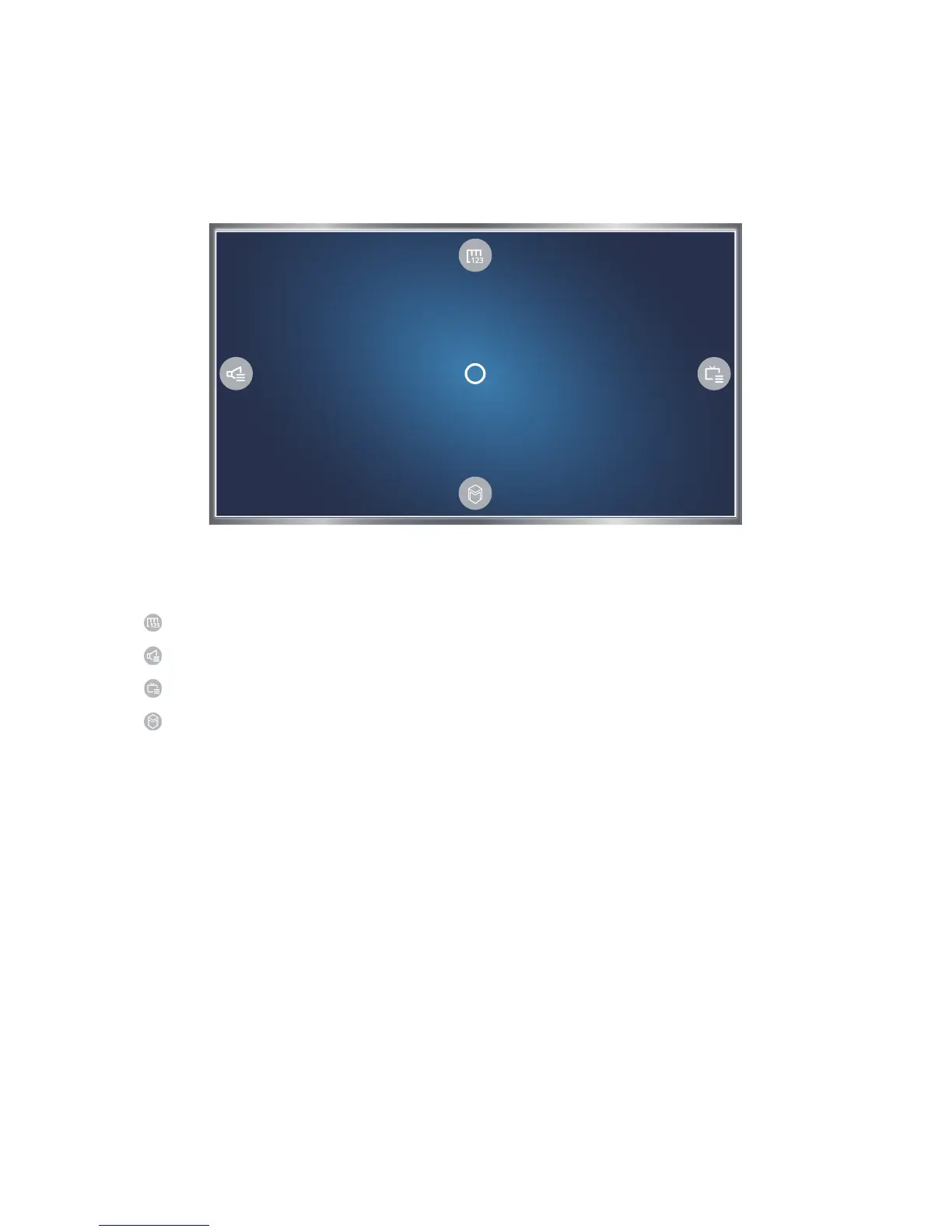
Operating the TV with the POINTER button
Place a finger on the POINTER button and move the Samsung Smart Control. The pointer on the
screen moves in the direction you moved the Samsung Smart Control. Move the pointer to one of the
following icons on the screen, and then press the POINTER button.
●
: Displays the On-Screen Remote.
●
: Allows you to adjust the volume or select speakers.
●
: Displays the channel list.
●
: Launches Smart Hub.









 To Next Page