Using a TV Viewing Card (“CI or CI+ Card”)
The connection method of your TV viewing card may differ with models.
"
Turn the TV off to connect or disconnect a “CI or CI+ Card”.
[
We recommend that you insert the “CI or CI+ Card” (viewing card) before you mount the TV on
the wall because it may be difficult and dangerous to do this when it is on the wall.
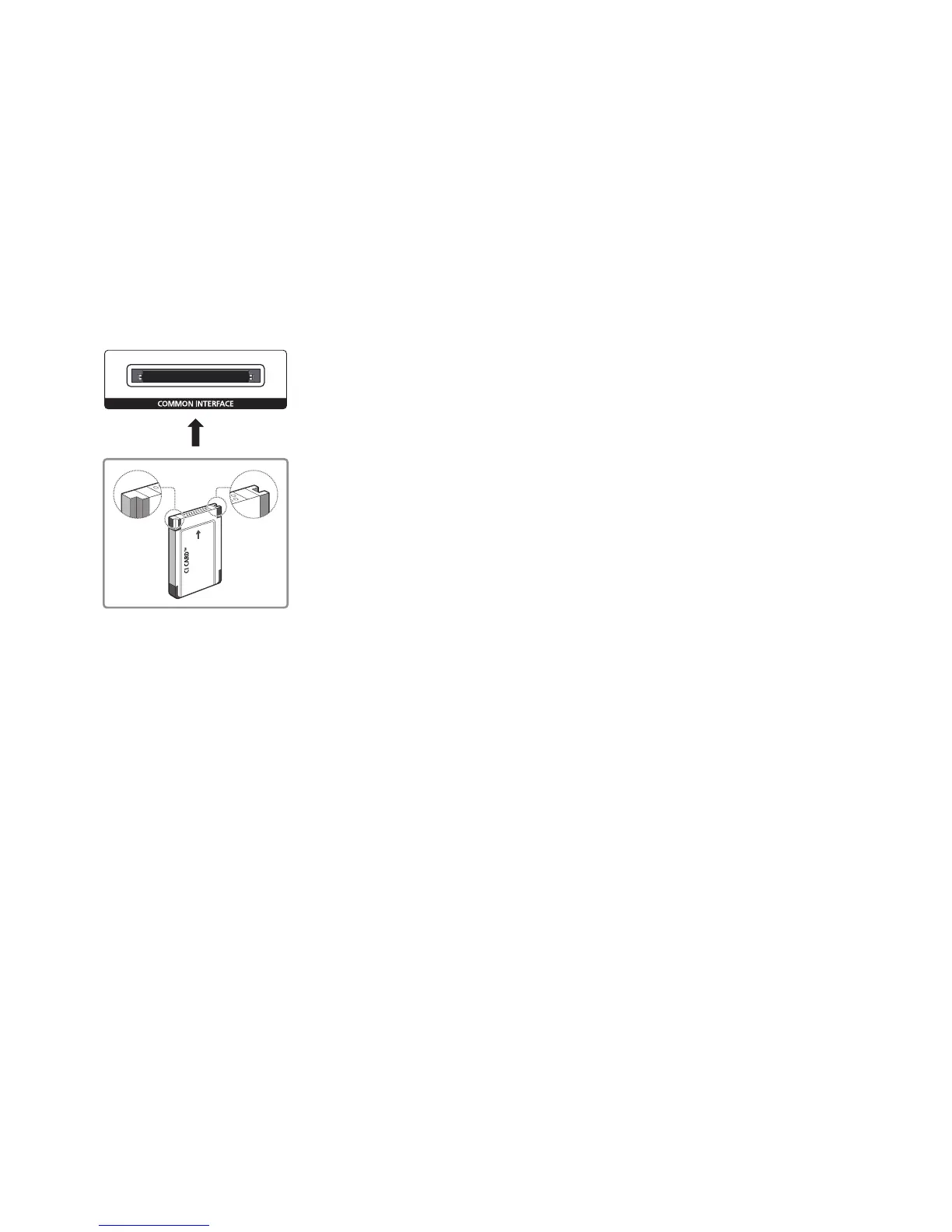
Connecting the “CI or CI+ Card” via COMMON INTERFACE slot
Connect the “CI or CI+ Card” to the COMMON INTERFACE slot as shown in the image below.









 To Next Page