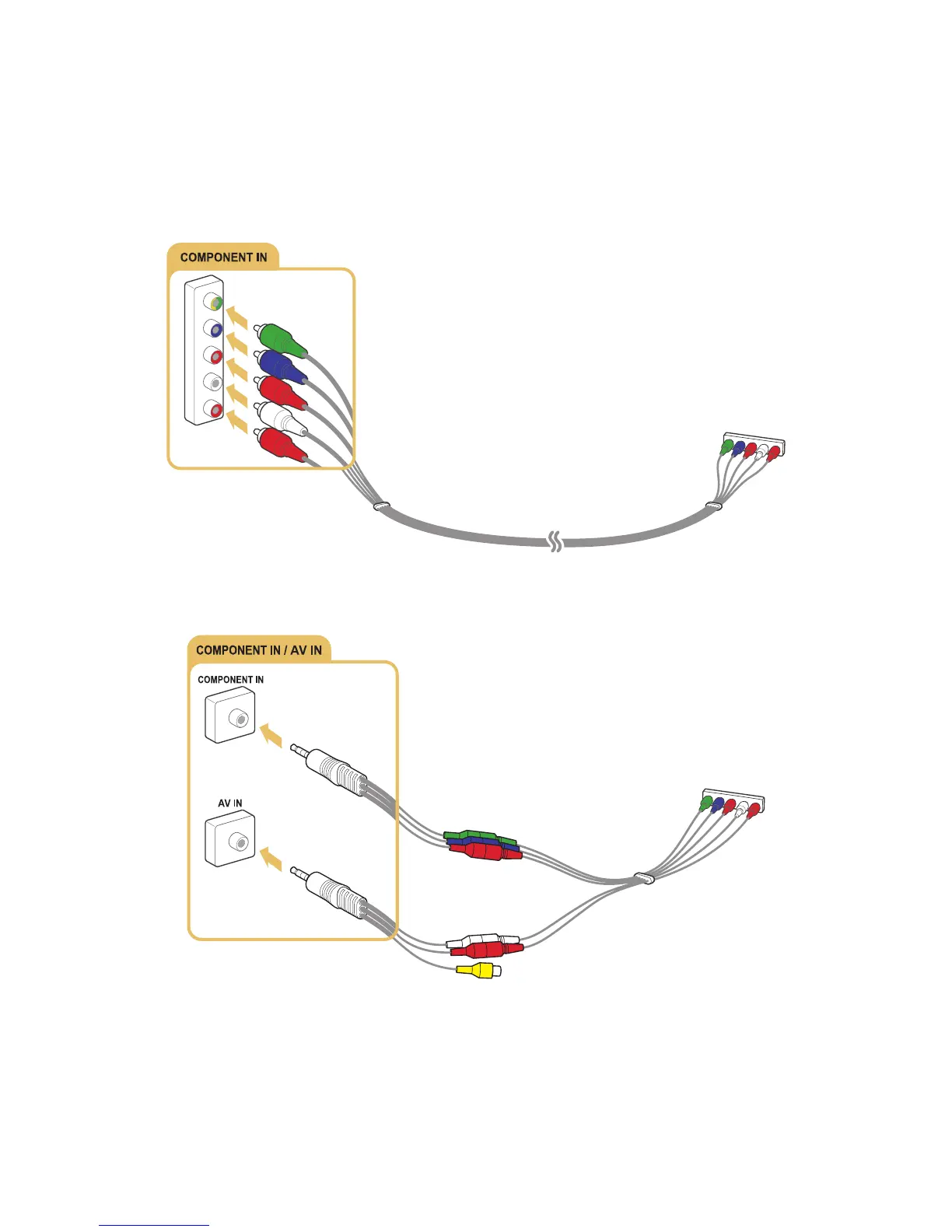
Connecting with a component cable
Connect the component cable to the component input connectors of the TV and the component output
connectors of the device as shown in the image below.
Make sure the cable colours match the connector colours.
For the 6400 to 6700 series models
For the 7000 series models and higher









 To Next Page