Audio Input and Output Connections
Your TV has a variety of connections for audio input from external devices. The connections are listed
below.
●
HDMI/ARC (Audio Return Channel)
●
Digital Audio (Optical)
●
Audio (Analogue)
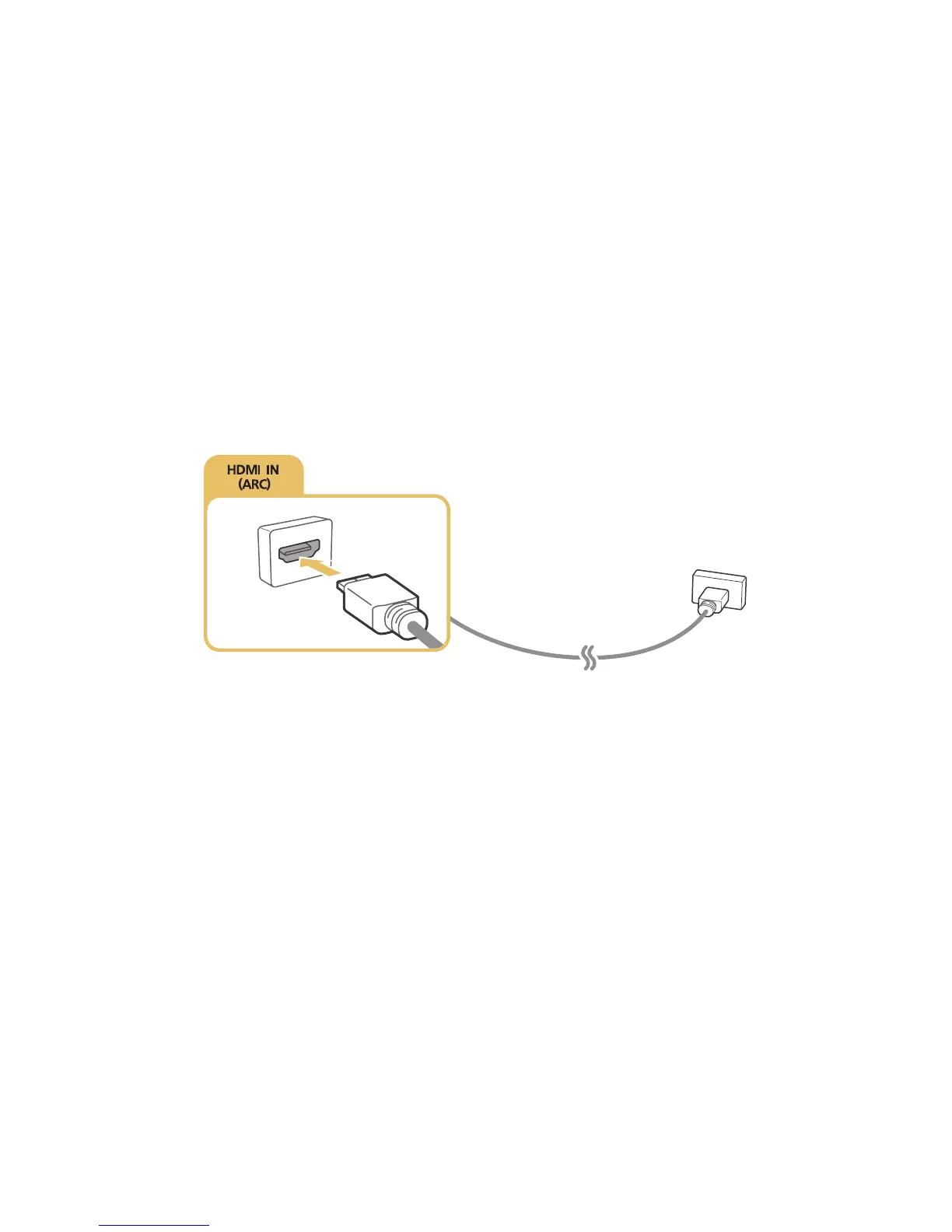
Connecting with an HDMI (ARC) cable
ARC(Audio Return Channel) lets the TV output digital sound to an audio device and input digital sound
from the same audio device through one HDMI cable. ARC is only available through the HDMI (ARC)
port and only when the TV is connected to an ARC-enabled AV receiver.
Connect an HDMI cable to the HDMI (ARC) input connector of the TV and the HDMI output connector
of the device as shown in the image below.
"
Some features such as Smart Hub may not be available if the Source is set to HDMI and 3D Auto View is
set to Auto1 or Auto2. If this is the case, set 3D Auto View or 3D Mode to Off.









 To Next Page