Conguring the Start Menu Power Button
ThePowerbuttonontheStartmenu( )performs
variousoperationsdependingonthesettings.
1
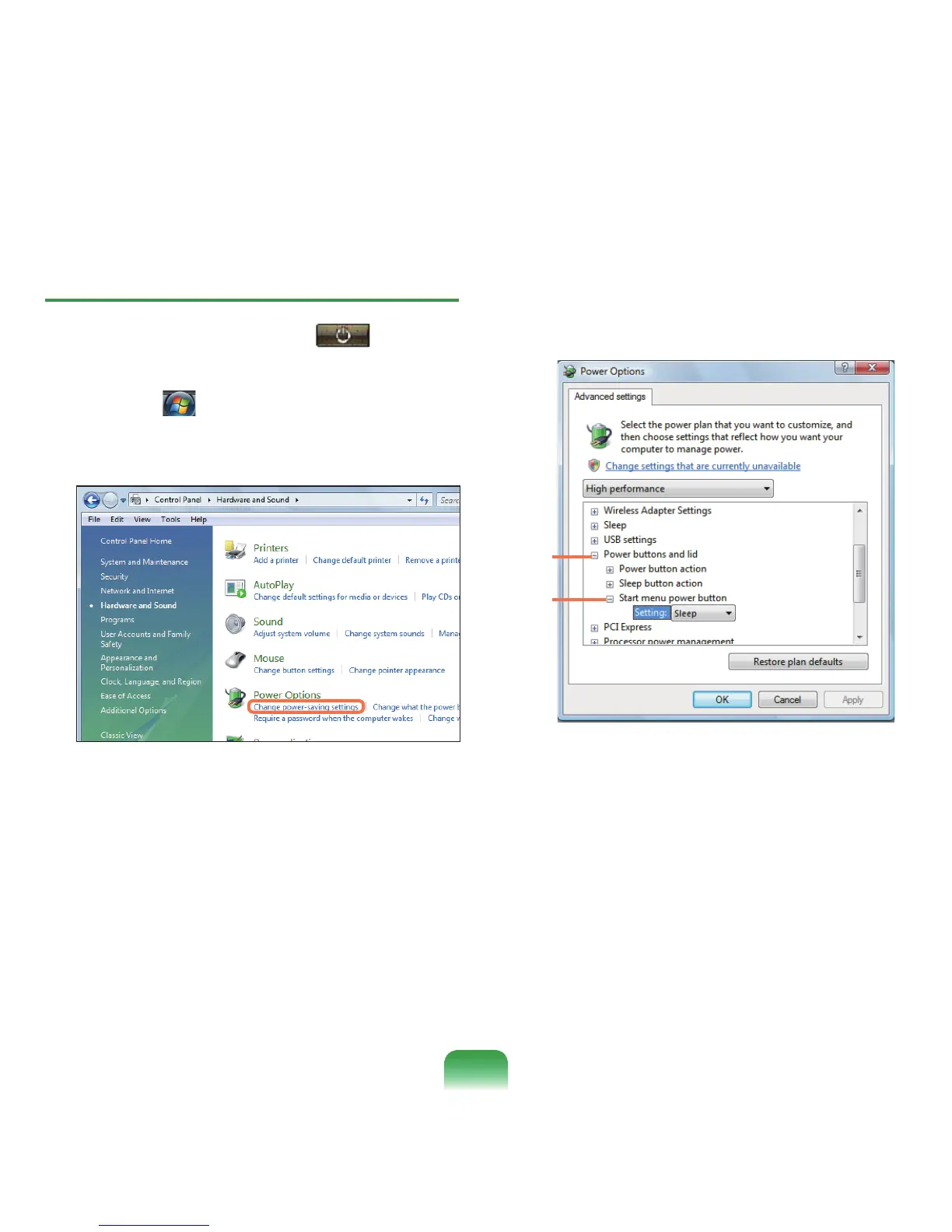
Click Start( ) > Control Panel > Hardware and
Sound > Power Options and then Change Battery
Settings.
2
Click on Change Plan Settings in the currently
selectedpowersetting.
3
Click on Change Advanced Power Settings and
open Start Menu Power Button in the Power
Buttons and Liditem.
1
2
87








 To Next Page