19
English
Installation/Service mode
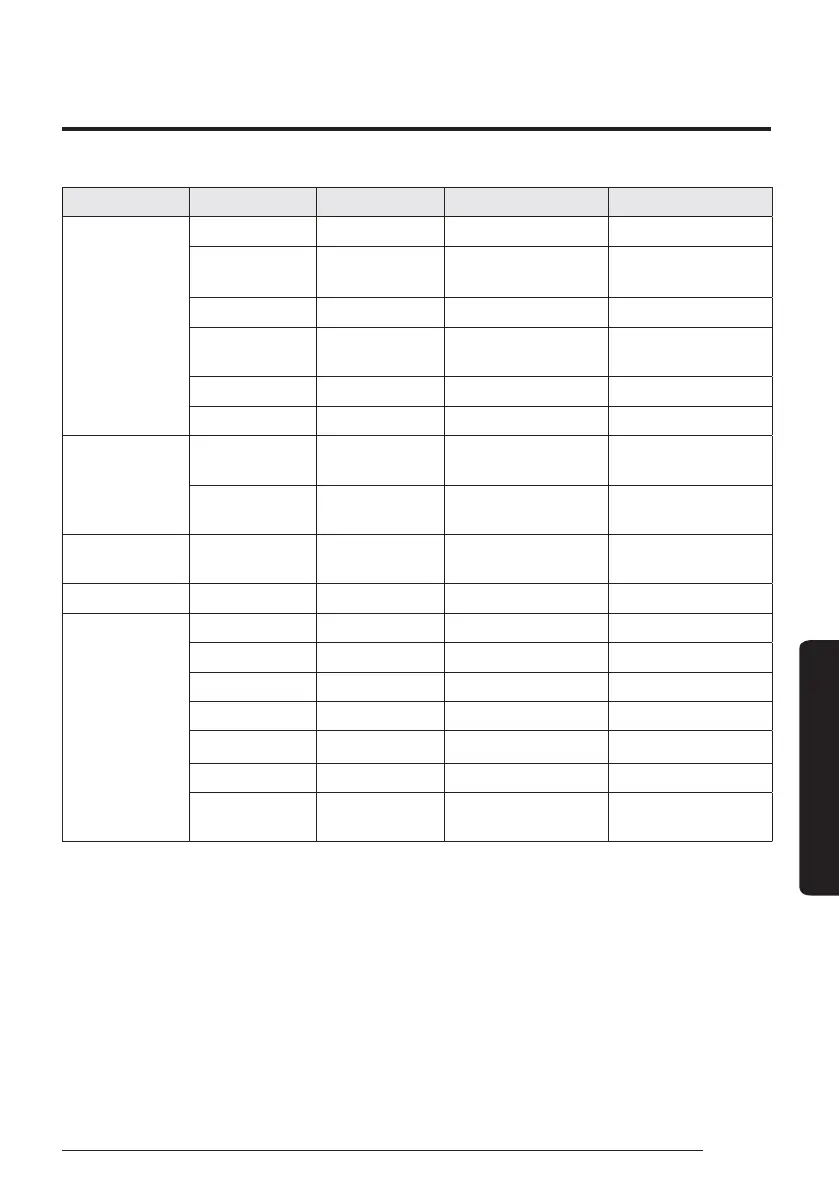
Step 1 Step 2 Step 3 Description Default
Device
Information
Micom Code : Micom code -
Program Version : Modified date -
Touch Code : Touch IC code -
Program Version : Modified date -
Graphic Image : Graphic image code -
Program Version : Modified date -
Reset All Service
Modes
Erase All Service
mode data
--
Initialize a remote
controller
--
Power Master
Reset
1)*
--
ODU K3 Reset - -
Field Setting
Value
10** - -
20** - -
30** - -
40** - -
50** - -
Simple Setting - -
FSV Upload/
Download
--



 To Next Page