8
Remote Controller Operation
English
Power Smart Features
Adjusting desired temperature
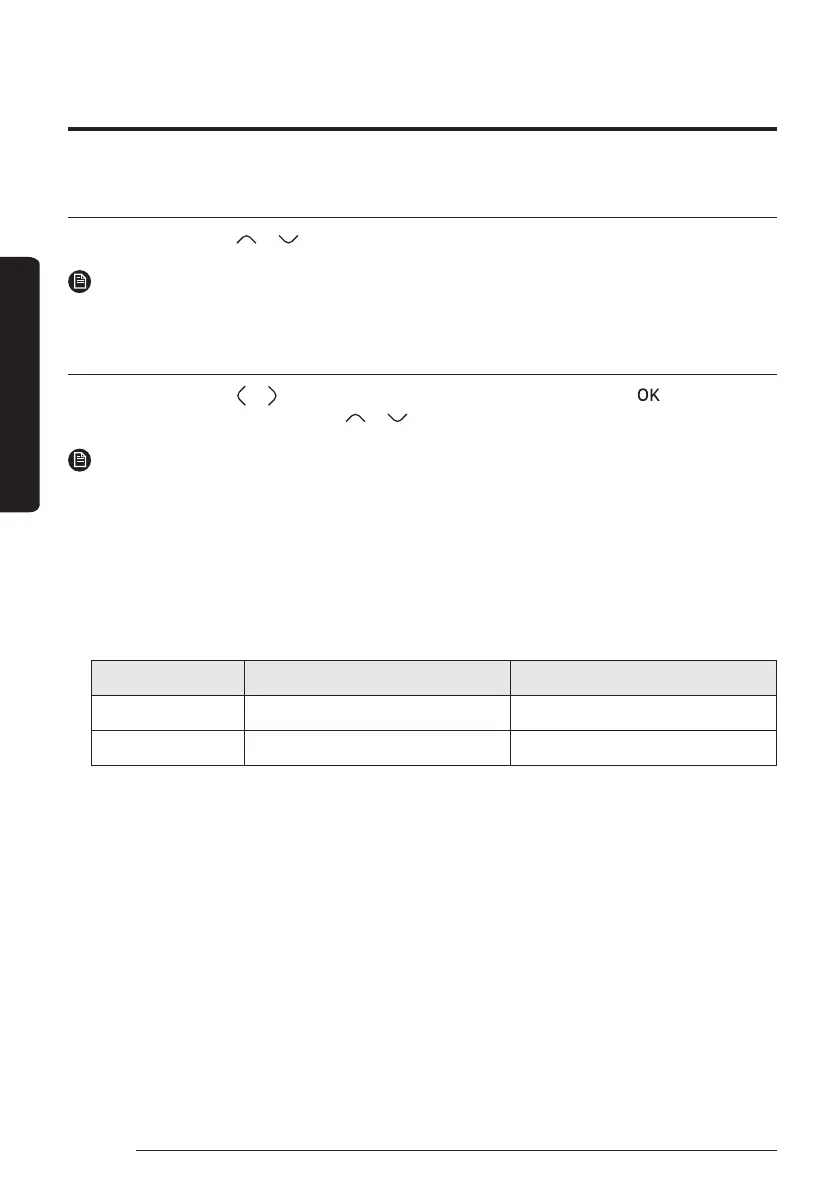
On each screen, press the or button to adjust the temperature.
NOTE
࡙ You can adjust the desired temperature by 0.1, 0.5, 1 °C. (Default 0.5°C)
Setting the set temperature
On each screen, press the or button to select a desired menu and then press the the
button. You can
adjust the set temperature by pressing the or button.
NOTE
࡙ When the Reference temperature to control is Water Outlet, you can set the temperature only for Water
Outlet.
࡙ When the Reference temperature to control is Indoor, you set the temperatures for Indoor and Water
Outlet.
࡙ In case of the model that can support both, you can set only the temperature for Indoor but the
temperature for Water Outlet is also affected together.
࡙ Depending on the Reference temperauture set for cooling and heating, the controllable temperatures
are restricted for each mode.
Auto Cool & Heat
Water Outlet Water Law Water Outlet
Indoor Temp - Indoor Temp



 To Next Page