14
Setting Options
Setting Options
How to set the Options
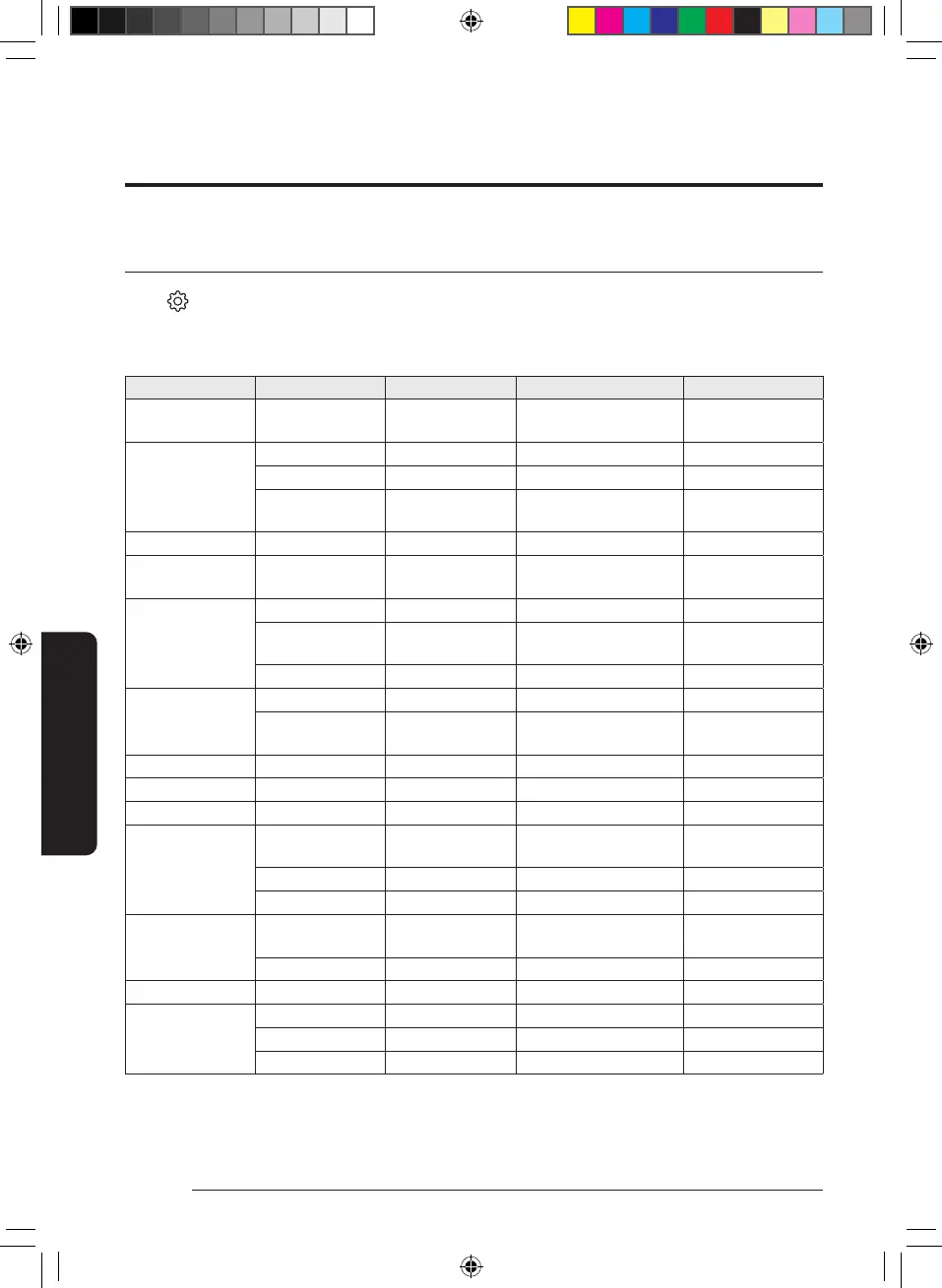
Select on the Home screen, and select from the setting options. General Settings and Heat Pump Settings
are available.
General settings
Step 1 Step 2 Step 3 Description Default
Samsung Account
Samsung account input/
display
Connections
Wi-Fi Wi-Fi on or off On
Bluetooth
Easy connection
SmartThings QR code
display
Lock Child lock on or off Off
Home device
notifications
Notifications on or off On
Display
Display mode Dark / Light Dark
Brightness
Screen brightness
adjustment
Font size Font size adjustment
Display and style
Cover Screen Cover screen on or off On
Retention time
Cover screen retention time
settings
7 min
Avatar Avatar Avatar on or off Off
App lock App lock on or off Off
Language Language selection Set country’s language
Date and time
Automatic date and
time
Auto date/time on or off On
Select time zone Time zone selection
Use 24-hour format AM/PM format on or off On
Accessibility
Visibility
enhancements
High contrast High contrast on or off Off
Font size Font size adjustment
Software update Download and install Check for software updates
Support
Watch tutorial again Watch tutorial again
User manual
User Manual QR code display
Remote support Remote support
DB68-12922A-02_IB_24Y EHS AE7000D_EU_EN_.indd 14DB68-12922A-02_IB_24Y EHS AE7000D_EU_EN_.indd 14 2024-12-11 오전 10:04:392024-12-11 오전 10:04:39



 To Next Page