18 English
Microwave oven use
Microwave oven use
Adjusting the cooking time
You can increase or decrease the cooking time while the microwave oven is
cooking.
• Check how cooking is progressing at any time simply by opening the door,
and then increase or decrease the cooking time if necessary.
Method 1
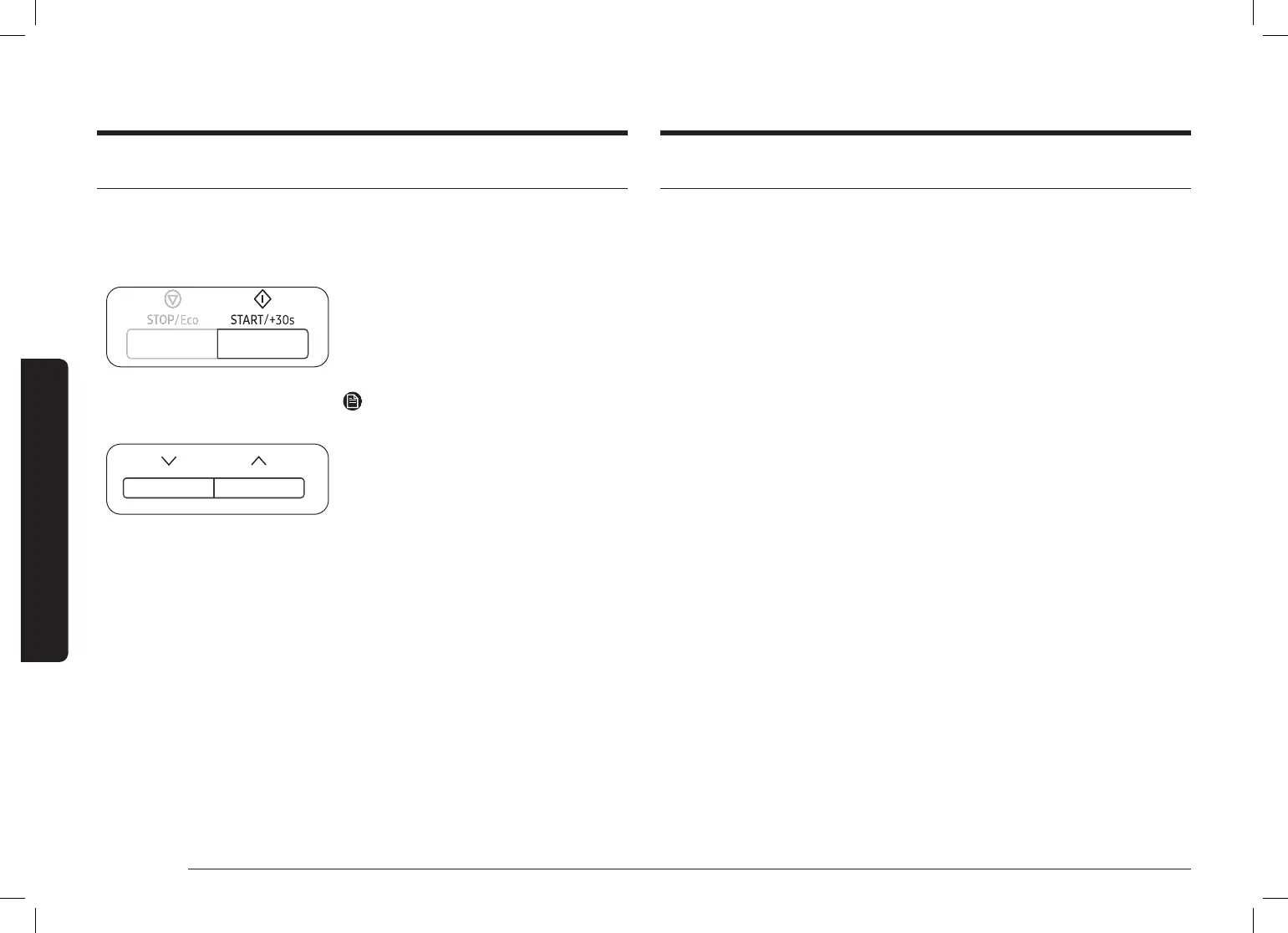
Press the START/+30s button to increase the
cooking time by 30 seconds.
• Example: To add three minutes, press
START/+30s six times.
NOTE
You can only increase the cooking time.
Method 2
Press the Down or Up button to adjust the
cooking time.
Stopping the cooking
You can stop cooking at any time so that you can:
• Check the food
• Turn the food over or stir it
• Leave it to stand
To stop the cooking temporarily
1. Open the door or press STOP/Eco once.
• Cooking stops temporarily.
2. To resume cooking, close the door and press START/+30s.
To stop the cooking completely
1. Open the door or press STOP/Eco once.
• Cooking stops temporarily.
2. Press STOP/Eco button again.





 To Next Page