English 23
Microwave oven use
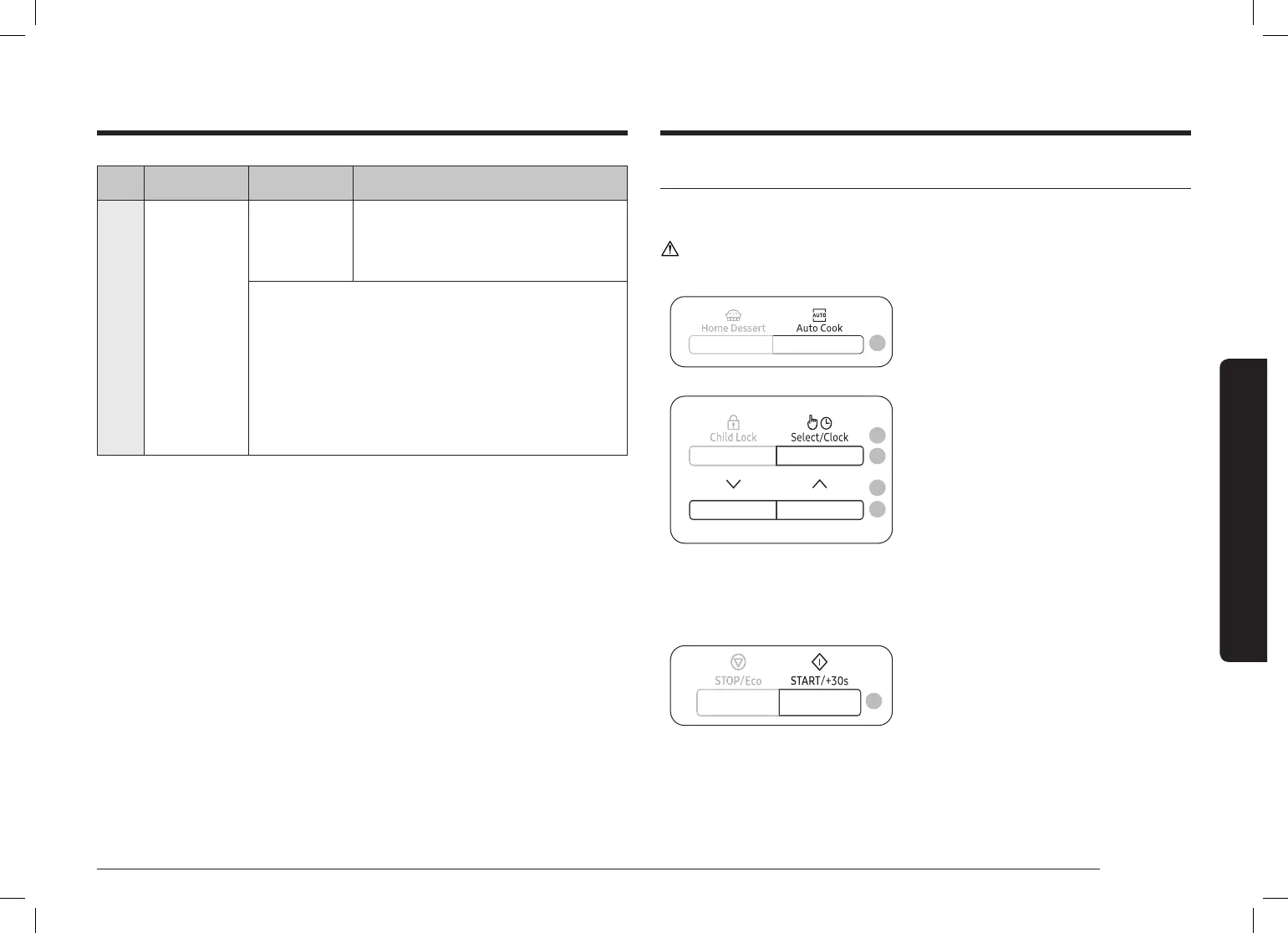
Code Food Serving Size Instructions
7
Mug Cake 1 serving Ingredients
Butter 30 g, Sugar 60 g, Egg 1 pc., Flour
50 g, Milk 30 g, Vanilla 6 g, Almond
powder 3 g, Baking powder 1.5 g
1. Combine the butter, egg together in a mug until well
combined.
2. Add the our, sugar, baking powder and keep
stirring.
3. Add the almond powder, vanilla and stir until just
combined.
4. Put the mug in the microwave oven and select the
Home Dessert [7].
5. After cooking, stand for 2-3 minutes.
Using Auto Cook
Auto Cook has 18 pre-programmed cook settings. You do not need to set either the
cooking times or the power level.
CAUTION
Use only containers that are microwave-safe.
3
1. Push the button to open the microwave
oven door.
2. Place the food on the centre of the
turntable, and then close the door.
3. Press the Auto Cook button.
4
6
4. Press the Down or Up button to select
the type of food.
• For more information, see
the “Auto Cook programme
description” section on pages 24 to
26.
5. And then press Select/Clock button.
6. Press the Down or Up button to select
the weight of food.
• Depending on the selected menu,
you may have only one weight
option available to select.
7. And then press Select/Clock button.
8
8. Press the START/+30s button.
The food is cooked according to the
pre-programmed setting selected.
1) The oven beeps 4 times.
2) The end reminder signal will beep
3 times (once every minute).
3) The current time is displayed again.
7
5





 To Next Page